I came across a fantastic little plugin recently for WordPress entitled Column Shortcodes. Developed by CodePress, the plugin allows you to easily organise your content into columns on your page.
Content can be divided into halves, thirds, quarters, fifths or sixths. You can also use two-thirds, three-quarters, three fifths etc. Once the plugin is installed, you will see the column shortcode button in your post editor.

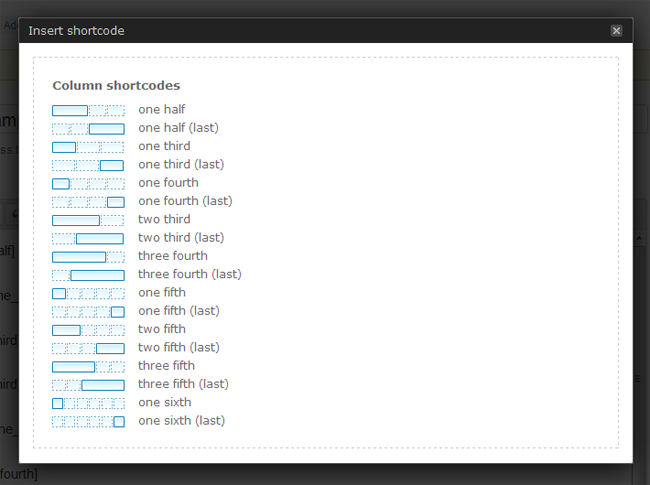
Clicking on the button will bring up a box that shows you visually what options are available to you. When you click on the size you want, it will add the corresponding shortcode to the post. For example: [one_fifth]/[one_fifth]. All you have to do is place the content inside the appropriate shortcode tags in order to show it in columns.
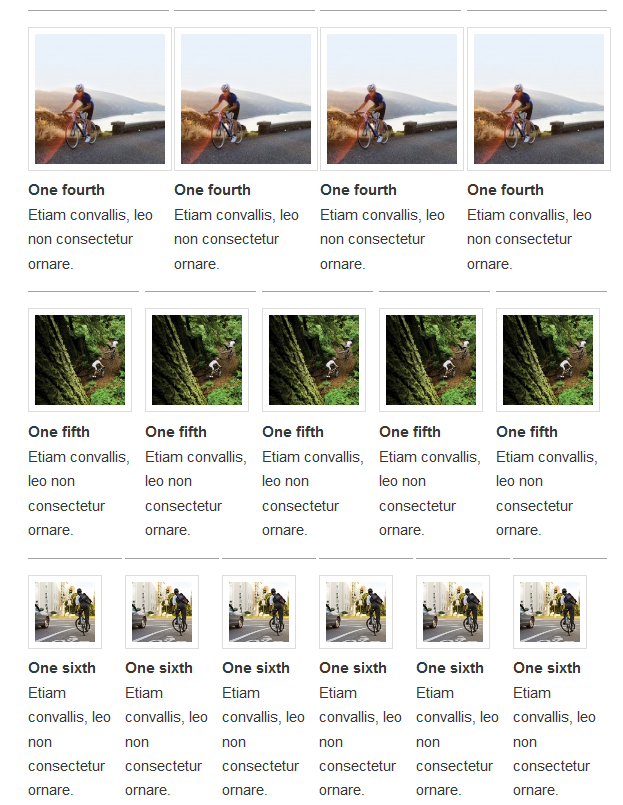
The final output looks great. Everything is spaced out well so that your content isn’t squashed together.
The design of your columns can easily be modified via the stylesheet. For example, you can could change the width, background colour or border.
.one_half {
 width: 45%;
 margin-right: 1%;
 }
 .one_third {
 width: 32%;
 background:#000;
 }
 .two_third {
 width: 60%;
 margin-right: 1.6%;
 border: 3px dotted #eee;
 }
I’ve always used HTML tables whenever I wanted to layout my content in columns. Sometimes this is better as it allows me to control table headers and other things better. Sometimes it’s overkill.
If you only need to divide your content on your page and don’t need anything more, Column Shortcodes is a great option. It’s free to download so I recommend giving it a try if you want to make change the layout of a post or page.
Kevin
Link: Column Shortcodes