

Beaver Builder is rightfully recognised as one of the best drag and drop page builders available for WordPress. FastLine Media, who developed the plugin, have added a lot of great new features to the plugin over the years.
Their latest development is called Beaver Themer. It is an addon for Beaver Builder that was designed to bridge the gap between your pages and your theme. You can see how it works in my video review below.
The difference between the core plugin and this new addon is fairly simple. Beaver Builder allows you to structure and design how your content area. In contrast, Beaver Themer lets you style and structure everything outside it.
What is Beaver Builder?
For the benefit of those of you who are not familiar with Beaver Builder, let’s first explain what the core plugin can do.
Beaver Builder is a WordPress plugin that allows you to style your posts, pages, and custom post types, using a drag and drop front-end editor. It works with any WordPress theme.
Dozens of content modules are provided. There are modules for displaying post carousels, videos, maps, subscription forms, headers, images, and much more. Support for widgets and shortcodes opens up a limitless world of possibilities due to the sheer volume of WordPress plugins available online.

Beaver Builder also boasts a templating system so that the rows and columns and modules you add to a page can be saved and added to other areas of your website easily. Import and export functionality is provided too.
I have always felt that drag and drop page builders such as Visual Composer and Divi Builder offer more stylish and professional looking content modules, however Beaver Builder excels in other areas.
It’s fast, it’s incredibly easy to use, and support for shortcodes and widgets makes it incredibly flexible. That is why Beaver Builder is regarded by many WordPress users as one of the best drag and drop page building solutions available today.
Creating Layouts with Beaver Themer
Beaver Themer can be used to create page templates such as your 404 page, archives page, and search results. You can also use it to create parts of a page such as headers and footers.
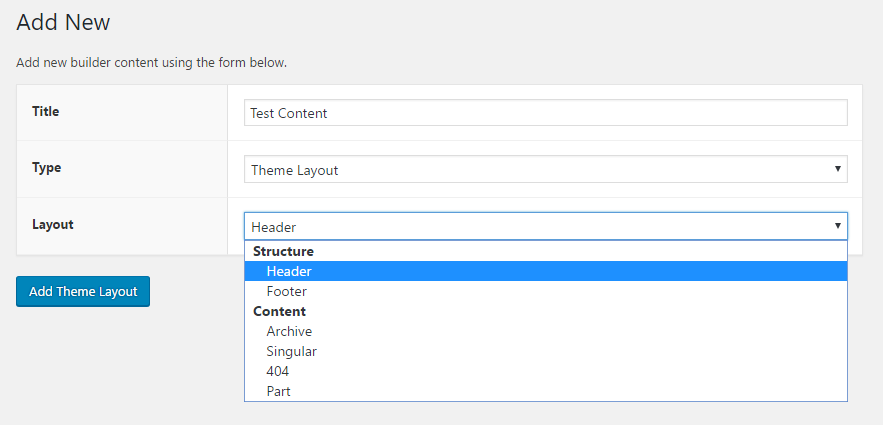
The addon lets you add four types of content: Theme layouts, templates, saved rows, and saved modules. Rows and modules can be defined as global and theme layouts can be a header, footer, archive, single post, 404 page, or part.
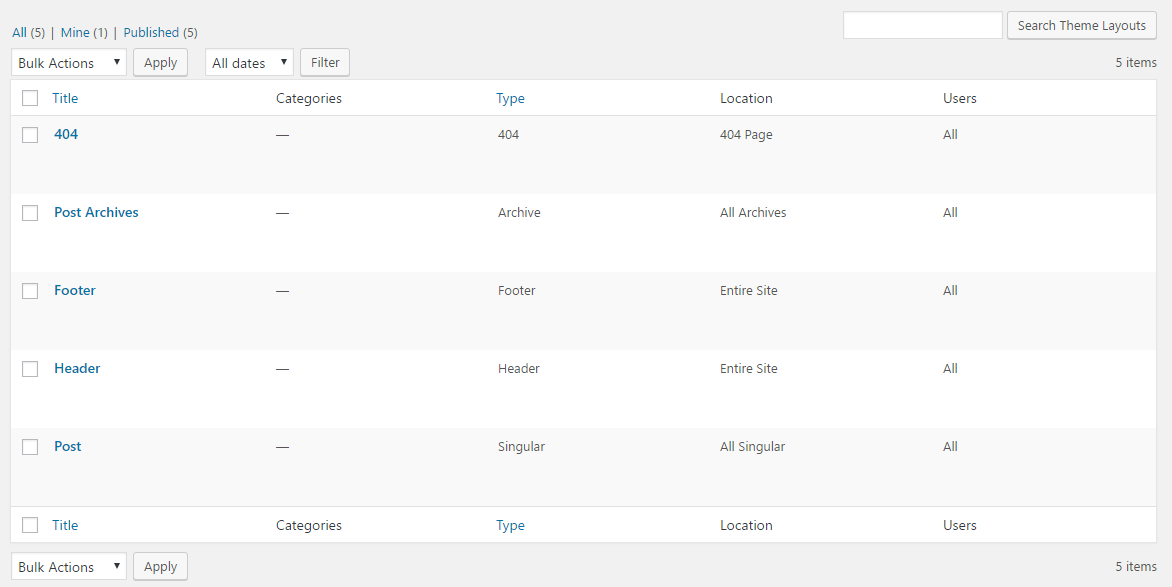
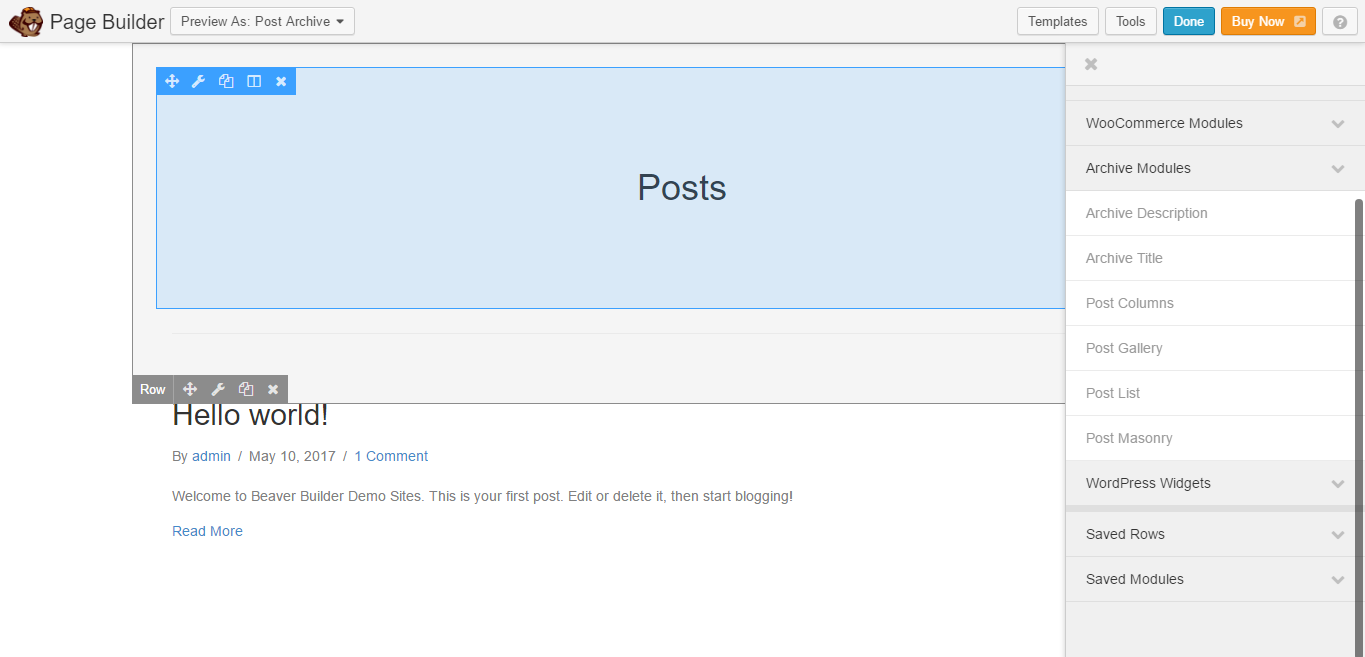
The theme layouts page lists all available page templates and template parts. From this page you can edit and delete and template and launch the page builder for it.
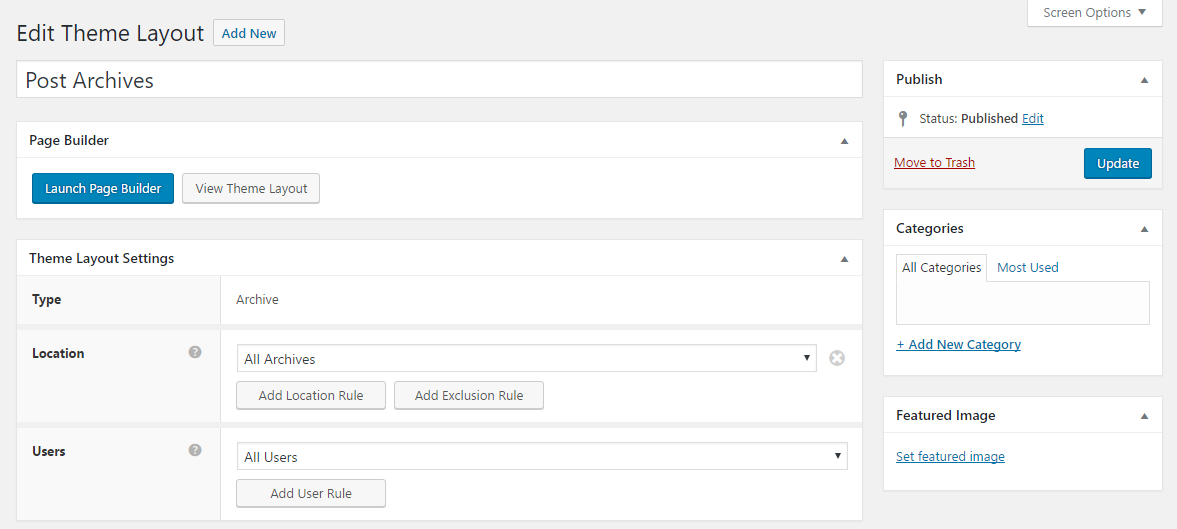
Templates can be categorised and assigned a featured image. There are multiple types of templates and you can specify exactly where the template is and is not displayed. For example, you could display a template on all archives pages except date archives.
You can include and exclude users from templates too. You can select logged in users, logged out users, or select on a user role basis.
Additional options are available in other template types.
The Beaver Themer page builder works the same way as the Beaver Builder page builder. Therefore, if you know how to use Beaver Builder, you know how to use Beaver Themer.
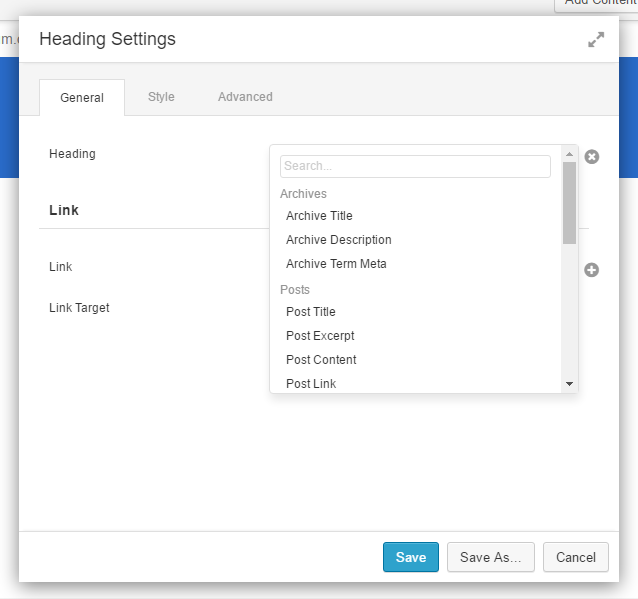
Field connections let you bind data to multiple posts, pages, or custom post types. This means that dynamic data from a post or page can be displayed across your whole website. For example, you could display links to your latest blog posts in your header and footer.
It’s a cool feature that has a lot of potential and I am sure website design companies will utilise it.
It is going to be interesting to see how WordPress users start using Beaver Themer to enhance their websites. Being able to assign templates to different parts of your website is going to be very helpful and field connections is going to prove very popular.
Beaver Themer is brand new (the version I tested in the Beaver Themer demo area is version 1.0). We can expect the addon to evolve a lot over the next few years and introduce many new features.
How Much Does Beaver Themer Cost?
Beaver Themer is not included in the standard ($99), pro ($199), or agency ($399) license for Beaver Builder. It has to be purchased separately.
The addon retails at $147; however they are currently offering an introductory discount of 25% so for the time being you can get it for $110.25.
Before taking the plunge, I highly recommend playing around with the demo so you understand what this addon can and cannot do.
Final Thoughts
Beaver Themer is an interesting addon for those of you who use Beaver Builder to style pages on their website. I have no doubt that WordPress users who do not currently use Beaver Builder may be more attracted to the Beaver Builder system due to the new options on offer.
It is important to note that Beaver Themer does not work with every WordPress theme. Out of the box, the addon will work with Beaver Builder Theme, Genesis and GeneratePress. It may work with other WordPress themes, but I would contact the developers beforehand to make sure.
What do you think about Beaver Themer?
Thanks for reading.
Kevin
Thanks for your review. You have tons of great information on Beaver Builder. I used it to develop several websites and agree that it is a great plugin for the non technical DIY person.
I’ve never used InstaBuilder myself, though I have contacted them and asked them to provide access to a demo or something so that I can do a review.
With regards to mentoring, I am not sure about it. The affiliate marketing world seems to be fixed on this idea that everyone needs a mentor, but the reality is that the majority of people out there claiming to be mentors are simply charging ridiculous sums of money to others for passing on basic information.
With regards to marketing internationally, I would argue that being in the USA, it would be better to take advantage of local knowledge and seek success there before you start trying to target other markets.
Drop by Rise Forums if you are looking for feedback on your projects.
Thanks Kevin.
I feel confident in the products you promote, so I had to stop and check out Beaver Themer. I was initially on my way to research a supposed all inclusive app called “Instabuilder”. Cost is a one time fee of $77, and I recall seeing it discounted. One of the developers is also one of the producers of ” Big Commissions Blueprint”. I want to see if it is capable of helping to provide a seamless customer experience. Who knew what an immense and technical field affiliate marketing is. I can see it can nickle and dime you to death if your not careful. I’ve been researching marketing on-line for the last year. Although I appreciate jumping in and learning as you go, not everyone has the luxury to take too many chances when it all adds up. That’s the reason I’m here leaving this message. I’ve got to have a mentor, a very legit mentor whom can keep me from sinking into the quick sand; Lord knows I hate to get dirty, To add to the multitude of issues I’ve encountered trying to create an approach that will be successful, well, we have the economic dark cloud looming over us. I am getting ready to blog about the necessity to learn how to read and track trends, and how certain events produce certain financial outcomes. We need to be able to follow the money; where it is presently and where it’s going. And, of course, understanding demographics, not just here in the U.S. but in other countries. I feel in order to keep getting paid, we need to do our marketing internationally. We marketers need to be educating ourselves on other countries, their cultural tastes, and their financial scenes. One other thing I’ll add, I believe those whom control the system will and are trying to monopolize the internet; sell it to the highest bidder and push out the common little guy. It’s our responsibility to stand up for our rights and not just hand over what is rightfully ours. Because, then what? I could go on and on..you get the jist; I think. Okay, it’s been real. I hope to hear your perspective Kevin, if your so inclined. Thanks for being you
Sandy