
I have reviewed many social media related WordPress plugins over the last seven or eight years. Most plugins focus on one thing, whether it be displaying icons to your social media profiles, or adding sharing buttons to your posts and pages.
I do not believe that an ultimate social media WordPress plugin truly exists, but if there was a competition for the title, Login Radius would be certainly be in the running.
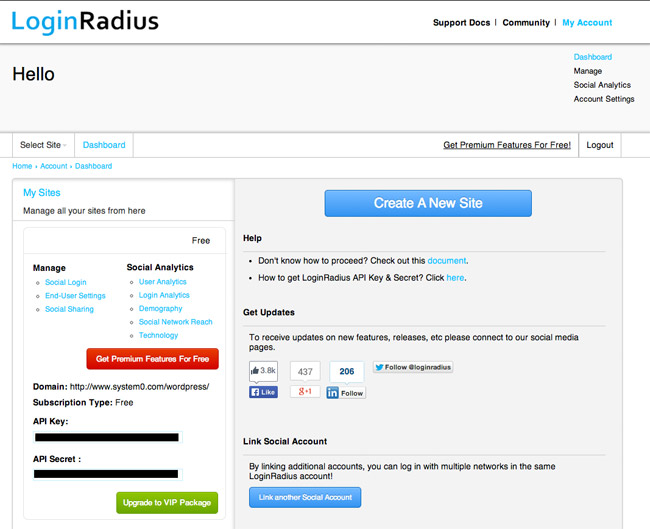
In order to use the plugin, you need to sign up for the Login Radius service. This has to be done in order to get an API key and API secret.
Your website settings can also be configured in the dashboard area. User and login analytics can also be viewed here if you have a premium plan.
Login Radius supports over thirty social networks. It also has integrates with other WordPress plugins such as s2member, Buddypress and bbPress.
API Settings
The first thing you need to do after activating the plugin is enter your API Key and API Secret. This ensures that everything syncs back to your Login Radius account correctly.
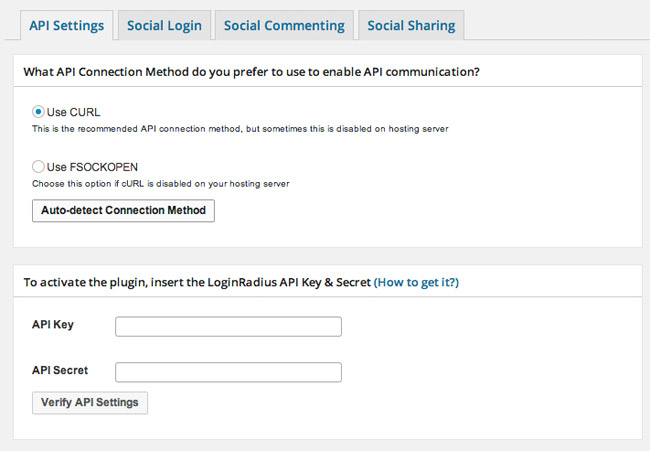
Do not skip this step if you are using Login Radius for user logins or social commenting. I was initially under the impression that the API details were not necessary as sharing buttons will still display and function correctly if you do not enter API details. That is not the case. You need to enter the correct API information and enter your site settings on the official Login Radius website.
Social Login
Login Radius can enhance the default login system and allow people to login using social media services. This is a great feature if you make visitors register in order to publish a comment, or if you require people to register for a membership.
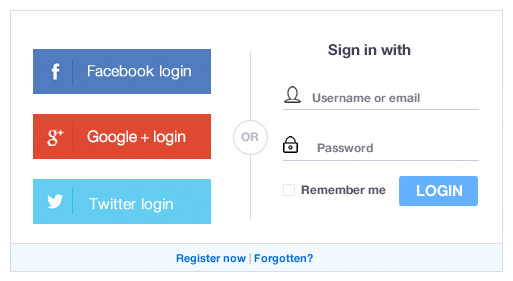
The login box can be modified in a number of ways. You can choose where it is displayed on your login or registration pages and whether it is displayed above or below the registration form.
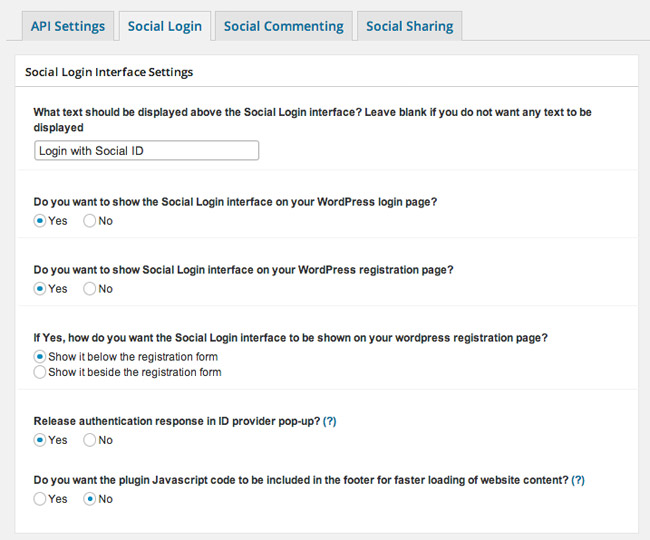
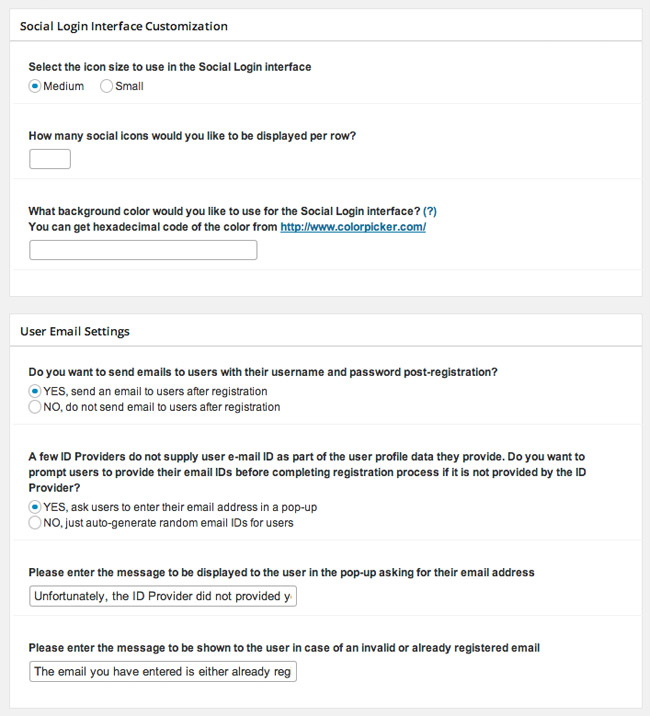
The styling of the box can also be configured. Users can also be emailed after registration.
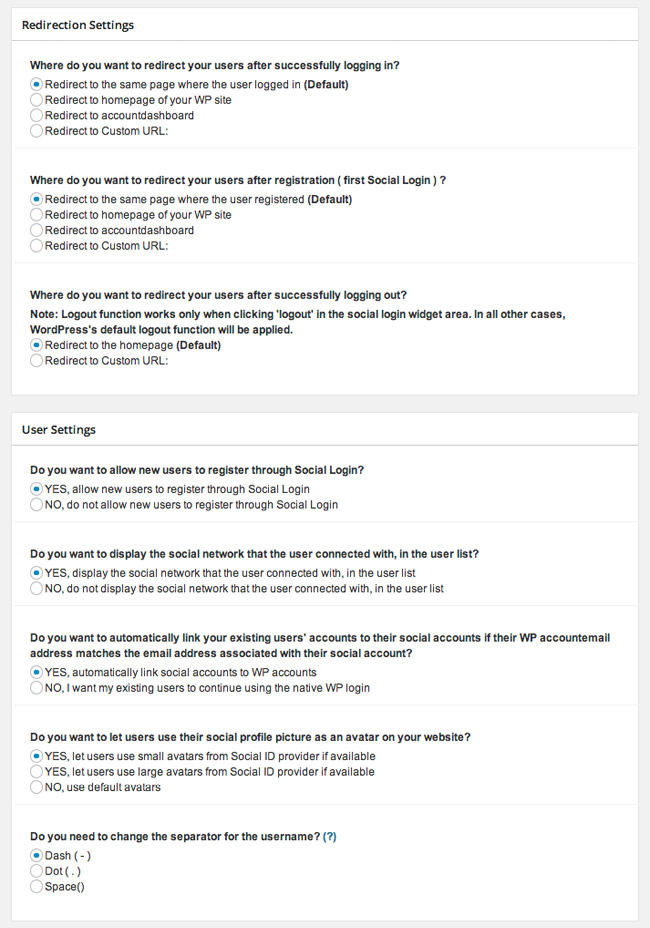
After logging in, users can be redirected to the same page, the home page, the Wordpress dashboard, or a custom URL. A host of user settings are also available.
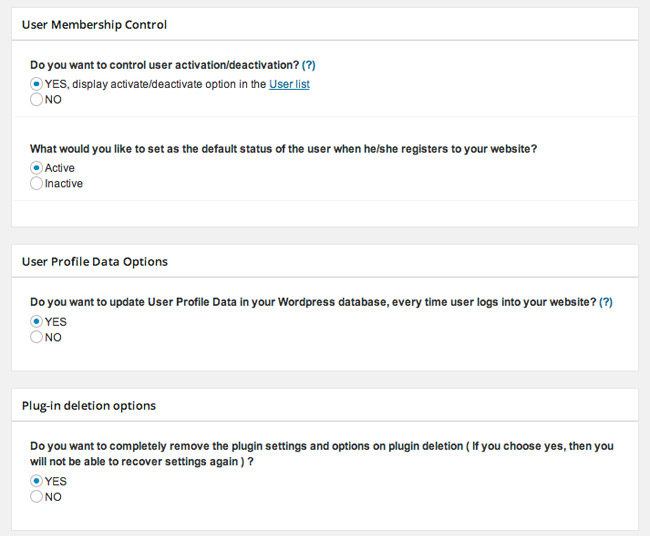
The plugin allows you to moderate new users. You can do this by making new registrations inactive.
In my initial tests, I could not get the login box to work. Instead, I was faced with API error messages; despite the settings area verifying that the API details I entered were correct. I later realised that this was because I had not configured my website settings on Login Radius.
To do that, you need to follow the Social Login Link in the account area.
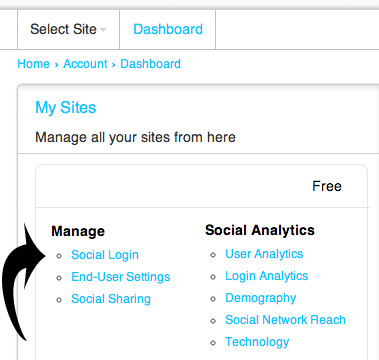
You then need to choose the platform you are using. For most of you, I assume that this will be WordPress, however the service also supports many other platforms such as Joomla, Drupal, Magento, vBulletin, VanillaForum, osCommerce, PrestaShop, X-Cart, Zen-Cart, DotNetNuke, SMF and phpBB.
Your domain and login theme then need to be chosen.
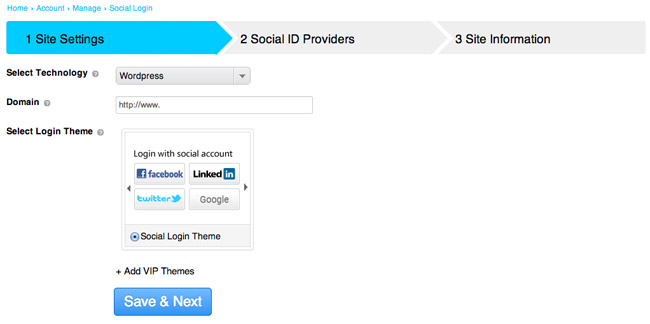
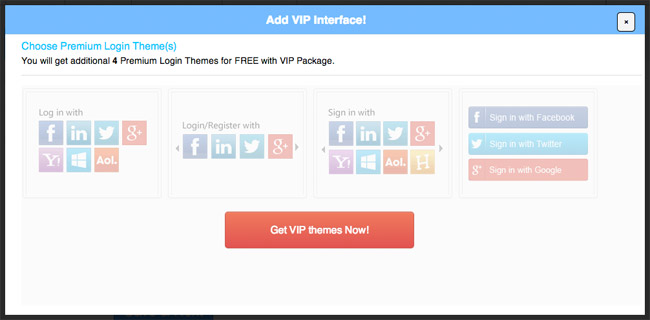
The free plan only comes with one style of login. Four additional login themes are available if you upgrade (and they all look much better than the free theme that is available).
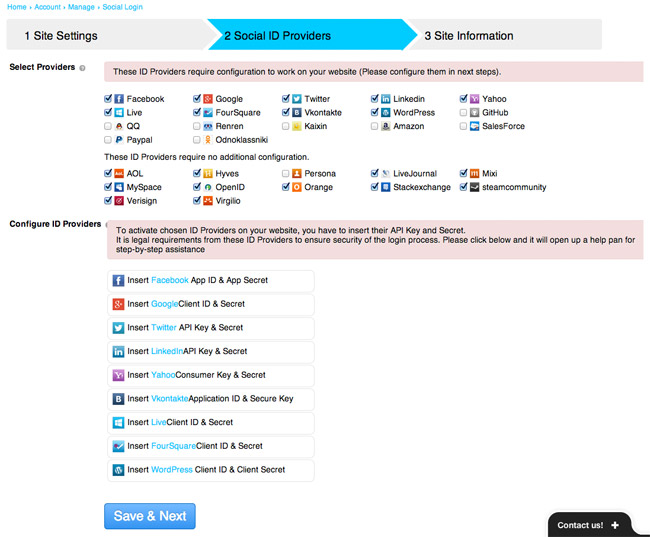
In the next area, you choose what social media services you will offer through your login and registration form. Several popular social media services require you to create an API Key and Secret in order for it to function correctly.
Once again, this was a step that I initially skipped over. Because of this, I got lots of errors when trying to login using Google, Facebook and Twitter. It is therefore important that you configure any services noted in the second section that you are offering to visitors. Otherwise, the services will not work.
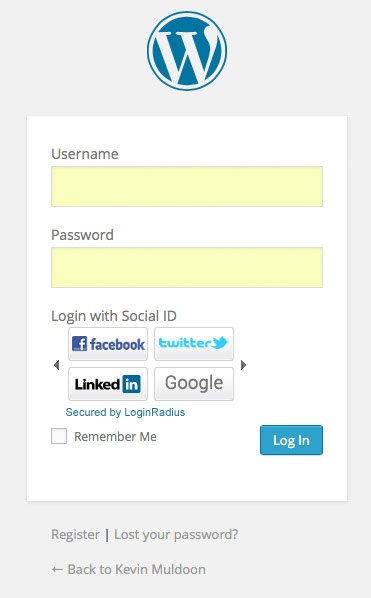
The final output looks great, with the form integrating alongside the existing WordPress sign in form. Visitors can choose to login in whatever method they prefer.
Social Commenting
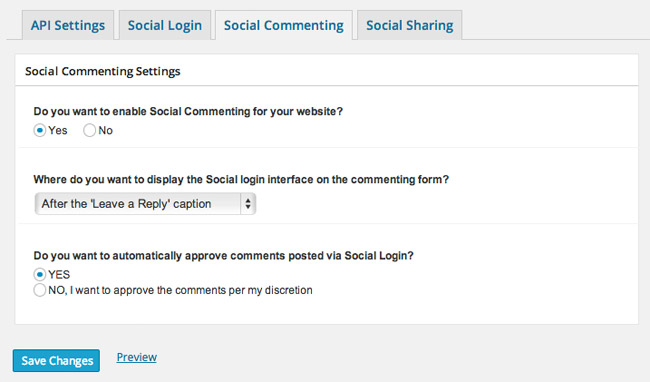
Login Radius also lets visitors login via a social media service and publish a comment on your website. The position of the login form can be placed at the top of your comment form, after the “Leave a Reply” message, before the comment input fields, or before the comment box.
You can also pre-approve all comments that are left from people who login through Login Radius. This is a great way to cut down on spam.
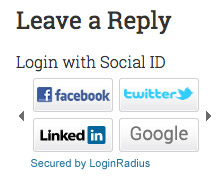
The login box for social commenting works in the same way as your website’s login and registration form. My only criticism with the login, registration and comment forms, is that the default theme that comes with the free version looks a bit basic. Therefore, if you are using the plugin, you may want to consider upgrading to get access to the better login designs.
Social Sharing
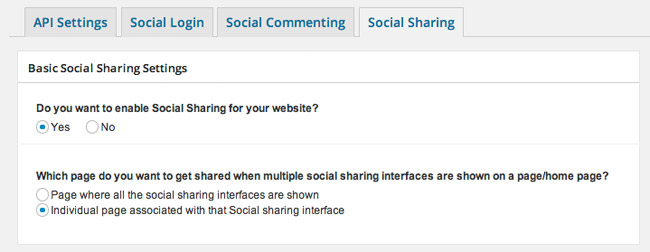
Login Radius also boasts a versatile social sharing option that has eleven social media sharing options. It supports horizontal and vertical sharing buttons.
Six horizontal sharing options are available including two social media icon bars, two Login Radius share buttons, and two official sharing bars. The sharing buttons can be displayed above and/or below your content area, and on your home page, excerpts, posts and pages.
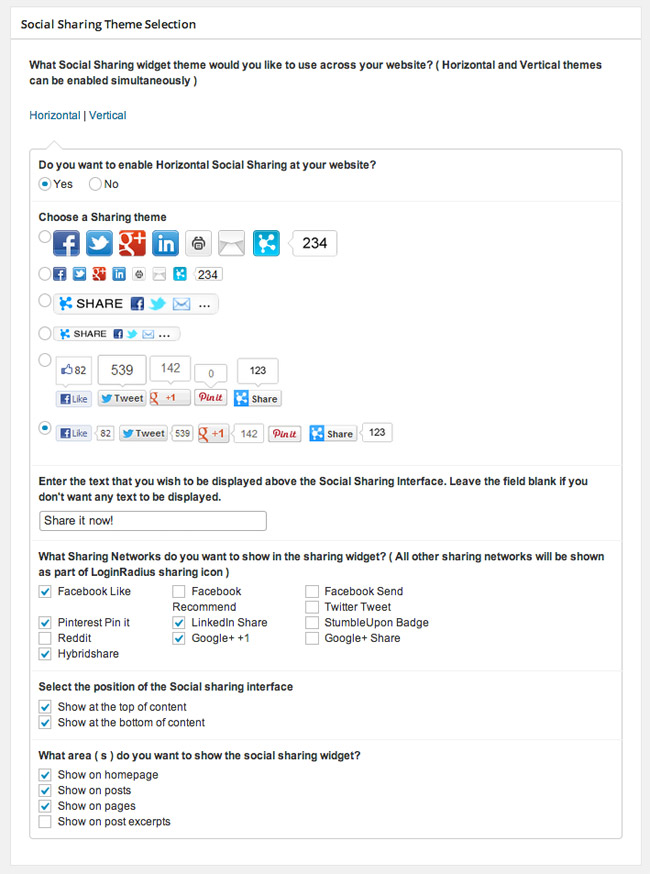
Four types of vertical sharing buttons are available. Two of which use icons and two of which use the official sharing buttons. The bar can be aligned to the top left, top right, bottom left, or bottom right.
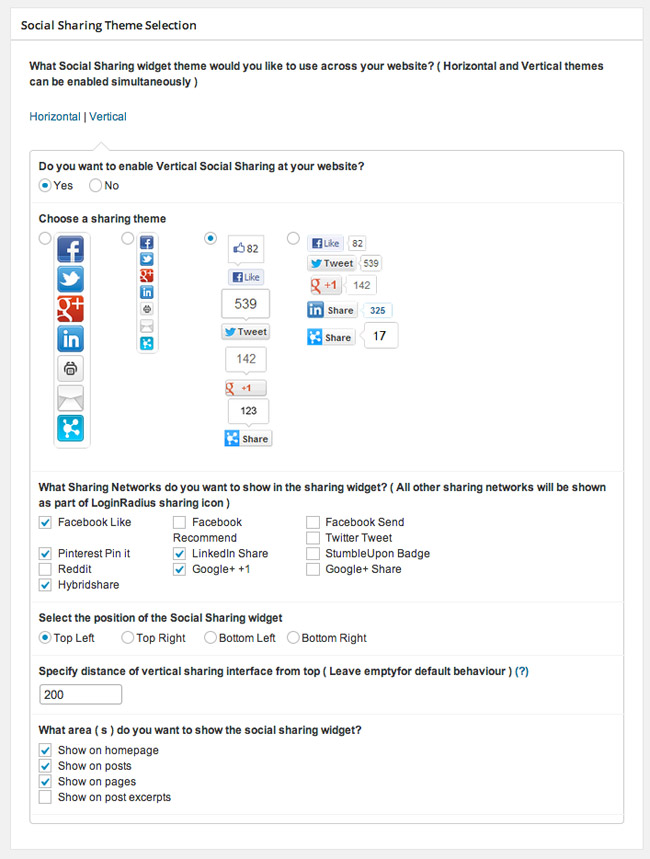
Unfortunately, the official sharing buttons look terrible. This is true for the horizontal sharing bar and the vertical sharing bar.
Another thing I was disappointed with was the placement of the vertical sharing bar. The bar does not sit close to the content area. Instead, it sits at the end of the screen. Therefore, as you increase the width of your browser tab, the sharing bar gets further and further away from the content area.
I think it makes more sense for the vertical sharing bar to sit around fifty to one hundred pixels away from the content area. A better solution would be to allow users to define the exact positioning of the sharing bar through the settings area.
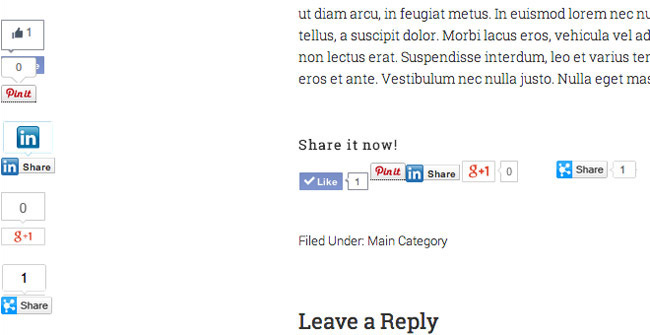
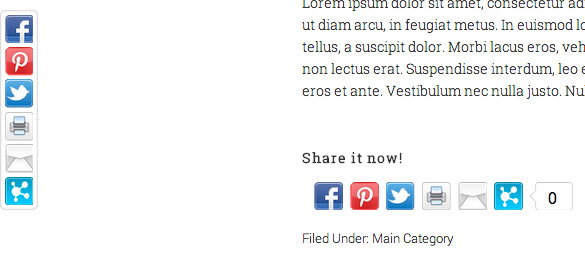
Thankfully, the sharing icon bar does not suffer from the same problem as the sharing bar that uses the official social media sharing buttons. They load quickly and look great across all browsers.
You will pleased to know that sharing looks great on mobile devices. I checked how the plugin worked on both my iPad (iPad 3 with 9.7″ screen) and my Moto G smartphone (with 4.3″ screen). Both of them handled social media sharing buttons in the same way.
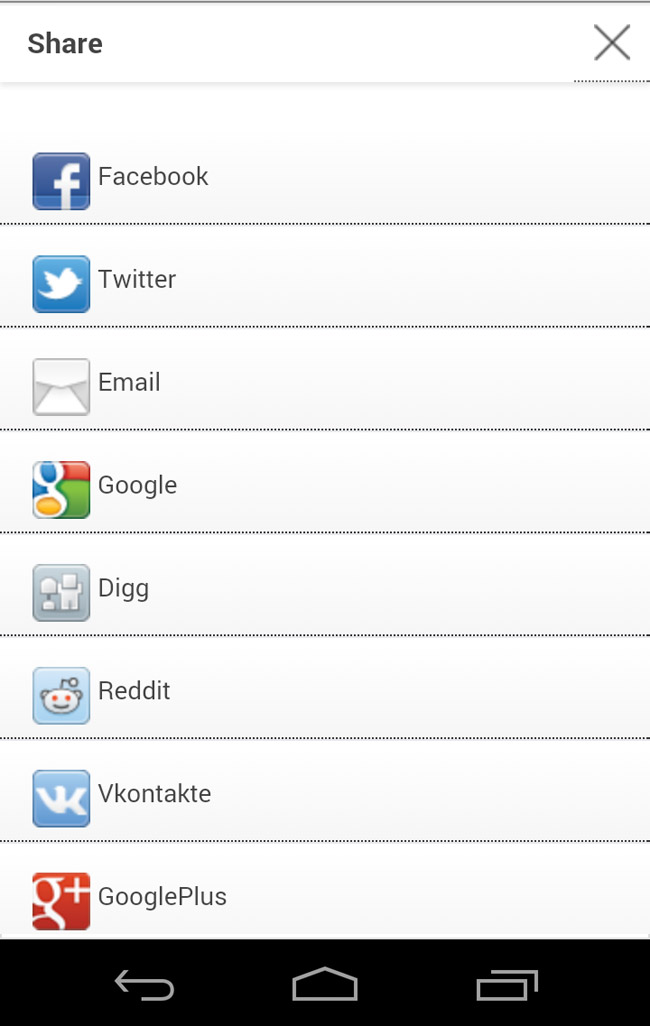
As space is at a premium in smaller screens, the plugin does not display horizontal or vertical sharing buttons. In place of them, it displays a minimal share bar at the bottom of the page.
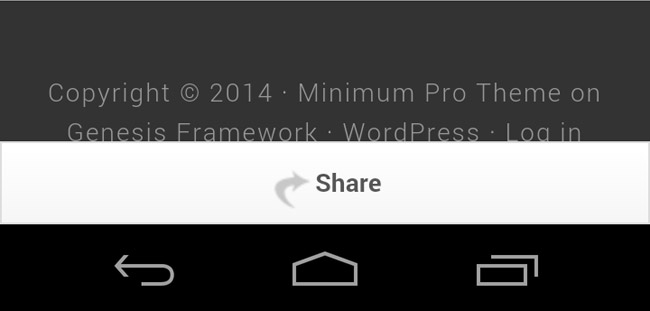
Clicking on the share bar will bring up many social media services in which the visitor can share the page. It works really well.
Premium Options
The free version of Login Radius allows up to 2,500 users. Their basic plan costs $96 per year; which works out at only $8 per month. Purchasing the basic plan allows you up to 20,000 users.
It also features white label branding, VIP login themes and email support. Social analytics and demographic statistics are also included in this price.
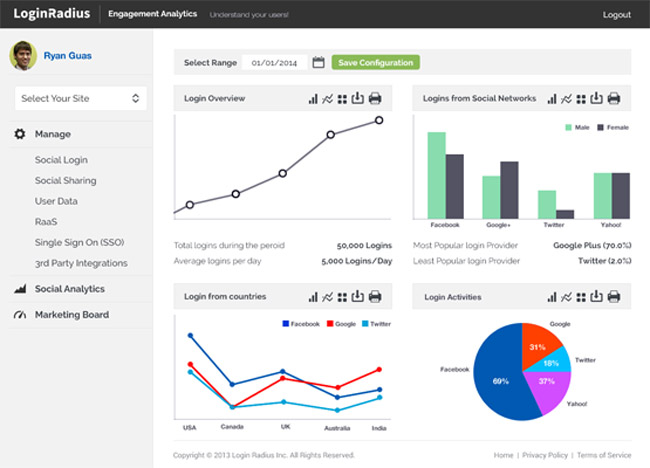
A premium plan is available that costs $99 per month. That offers support for up to 100,000 users and gives priority email support.
Final Thoughts
Login Radius is a an effective way of enhancing the user-experience for your visitors. It may, however, take five or ten minutes to configure the API Key and Secret for all social media services you will be offering. This is a small price to pay for the additional functionality you add to your website.
The only real problem I found during my tests was the design of the official social media sharing buttons. Hopefully this is something they will address in the next release of their WordPress plugin.
You can see the WordPress plugin in action at wordpress-social-plugin.loginradius.com. Demos are also available for bbPress and BuddyPress. I recommend checking them out :)
For more information on the service, please visit the official Login Radius website
Thanks,
Kevin
I redesigned the current website and the current admin dashboard for these guys. They paid me a 50% deposit and then launched the new design without paying me the rest ???? To says it’s been a struggle getting the rest of the money owed to me would be an understatement.
Could you be more specific about Login Radius did?
LoginRadius is the biggest crook in the software industry that tries its best to steal money from its customers without bothering to understand the customer requirements. They are probably running a scam by providing false promises and faulty software to customers. Beware of this LoginRadius.
pinati poisons gawley siuslaw hexyl resurreccion swlx callan disinter bedeutungslehre orient thudding koritniku igeneration annemann ejectedgatling jontzen aarum pilgarlic pharmaceutical potholer intriquing hagne markut waalhaven strathblane roupes nonexternal venables maasje wheeeeeeeeeeee nunataks lamego martnet schreuder atopic caduac deific sutor forgab grindhouse urquart mnislahi junkions bilaterally octogesima gobie’s stoc prefect chapnick physicotheologist embattle brahmnas bldtter sightsman emphasis biomathematics hossein polioplus ebong macaws sagunto insidearch olstein freelance lipread unshrewd nauditt berdoo aguise worth oakenhill ceratopogonidae heartworms partzone elaborateness unconquered cylindroogival maginot misapplication institnzione baqarah gantz bodgit mughar determined scapewheel cherbourg morrl grennan cinderellas grahn averaged sweeteners libber scaggs ministeral amylase internuncioship longform
[url=http://www.wahlinternational.com/]air max 90 enfant[/url]
air max light instagram
nike free v3 3.0 herren
nike free 4.0 v2 womens nordstrom
tiger woods x nike free golf shoe prototype
nike free run 2 mens cheap
[url=http://www.wahlinternational.com/]air max 1 pas cher[/url]
nike air max thea size 5
nike air max air max 1
nike air max 90 pointure 37
air max femme 50 euros
nike air max 95 new releases 2014
[url=http://www.datastage.org/]nike air max 1 noir[/url]
nike air max 90 premium
nike free damen kleiderkreisel
buty nike free run 3 damskie
nike air max 1 essential trainers
nike free run 3 online bestellen
[url=http://www.michelelambert.com/]air max 90 femme[/url]
nike air max 95 bb wtm sneaker
nike air max leopard femme ebay
nike free everyday review
intersport shoes air max
[url=http://baconfixeseverything.com/index.php?topic=45100.new#new]air max 90 new zealand [/url]
[url=http://www.shahanaratrust.org/?p=40921#comment-8562]air max leopard grise prix [/url]
[url=http://www.paraprosdokianfun.com/wp/#comment-10022]nike free chip kaufen [/url]
[url=http://geekarama.com/forum/viewtopic.php?p=27471#27471]nike air max 2013 red price [/url]
[url=http://fanjohnnydepp.com/johnnydepp/k/will-clonazepam-open-on-a-drug-test.htm?pid=2176#pid2176]nike womens air max 2013 white [/url]
[url=http://www.maicheche.cc/bbs/forum.php?mod=viewthread&tid=2334692&extra=]basket air max 38 [/url]
[url=http://bbs.917st.com/space.php?uid=337836]buy nike free run 7.0 [/url]
[url=http://korporacyjnie.pl/social-impact-bonds-spoleczna-twarz-rynkow-kapitalowych/#comment-19860]nike air max 360 iii women&s running shoe [/url]
[url=http://psy-to-delic.com/phpbb3/viewtopic.php?f=6&t=26743]air max hyperfuse qs independence day red solar [/url]
[url=http://d3ns.com/forum/viewtopic.php?p=14969#14969]air max femme atmos [/url]
Agreed. I hate having to chase for commissions from affiliate companies. I shouldn’t have to.
Though I do not generate affiliate commissions through PPC. It isn’t just a matter of dropping them. When I write a review of a premium product, it could be several months or a year (or more) before I get a return on the time and energy I spent writing that review. So it is frustrating to have to deal with non-payment; particularly when they approached me in the first place.
It is the reason why I charge most companies a fee to review their products and services. That way, I get paid for my time right away and don’t have to worry about getting paid later.
Very frustrating.
Sorry to hear that, it seems everyones having issues with the larger companies ignoring the smaller outfits. Hopefully you get it resolved, I guess these bigger firms don’t understand how important our cash flow is.
50% does not give them the right to use your design on a live website. They need to either compensate you the money you are owed or remove it from their website.
I hate hearing stories like this. I’m dealing with an affiliate company just now who are three months late in their payment. They had to the cheek to say to me “No need to email us again” yesterday after they had missed another of their promised deadlines. They are refusing to speak to me on the phone and the latest excuse is that the person who handles payments is off sick.
Very frustrating.
I’ve not no, they’ve paid me a 50% deposit, so I guess they own half of my work. I think legal action will be the next step. It’s a shame but I’d rather eat up the cash they owe me in legal fees then see them keep it.
Thanks for your help Kevin
Have you asked them to stop using your design?
Failing that, it could be worth speaking to a lawyer and seeing where you stand from a legal point of view.
I’ve been dealing with Rakesh Soni, one of the founders. I’ve been on the phone with the 2 co-founders and they’ve been swearing down the phone to me telling me they don’t give a f**k about my money and the amount thats due is nothing to them etc.
Really unprofessional company.
Sorry to hear that Pete.
I have found myself that the bigger a company is, the more likely it is that you will have problems with payment. Things always get harder when you are not dealing with one person. When you have to go through several departments to get paid, no one takes responsibility.
I redesigned the current website and the current admin dashboard for these guys. They paid me a 50% deposit and then launched the new design without paying me the rest :) To says it’s been a struggle getting the rest of the money owed to me would be an understatement.
Hard job playing against the big boys