

I’m a big fan of the WordPress post revision system. They ensure that most of your work is not lost when a technical problem arises.
Last month I spoke about revisions in my post “A Reminder of Why WordPress Revisions are So Important“. In the article, I recommended limiting post revisions to two or three drafts in order to keep the size of your database manageable.
You can limit the number of post revisions your WordPress database stores by adding the following code to your wp-config.php file:
define( 'WP_POST_REVISIONS', X );
* Change X to the number of revisions you want to store.
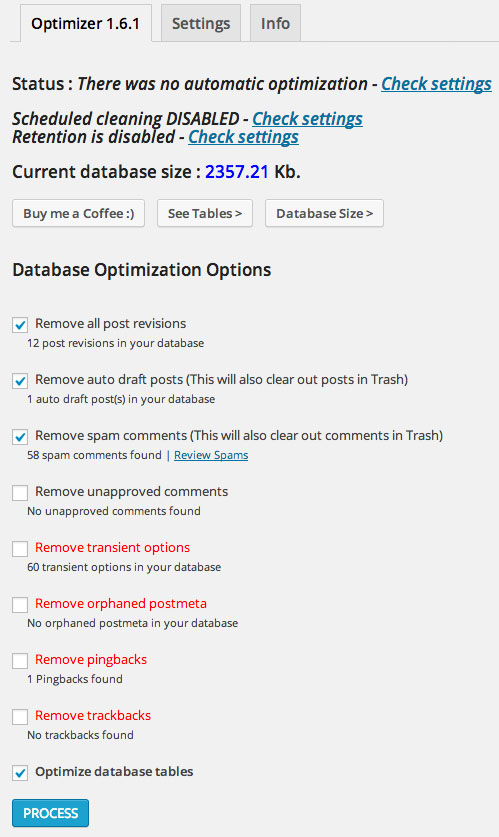
A good way of managing the size of your database is to install an optimisation plugin. I recently installed WP-Optimize on the Rise Forums Blog. It’s a fantastic plugin that allows you to remove excess post revisions, auto draft posts and spam comments. You can also remove pingbacks, trackbacks and transient options (temporary WordPress data).
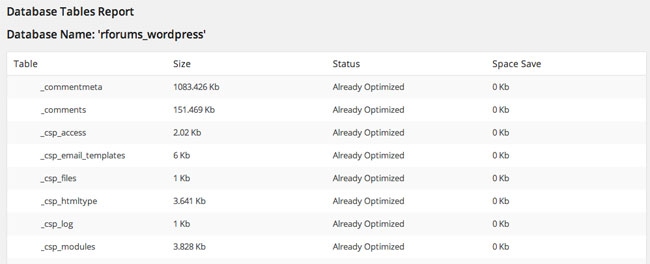
It displays a list of all of your database tables. The size of each table row is displayed and it advises whether the table row has been optimised yet.
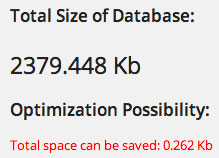
The bottom of the page lists the current size of the database and how much can be saved by optimising.
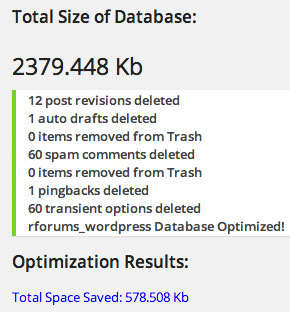
Whenever you optimise your database, the plugin shows you a summary of what was cleaned up. This includes details of what was deleted and how much space you have saved.
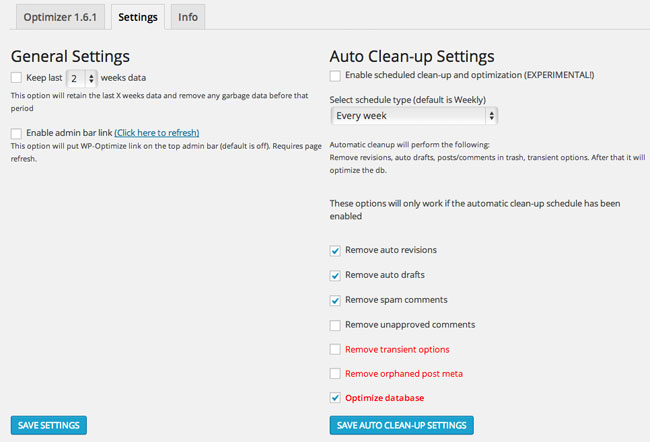
WP Optimize has some good automation settings that will optimise your database in the background. You can set for data older than a set number of weeks to be automatically deleted (2, 4, 6, 8 and 10 weeks can be selected).
You can also schedule a clean up every 7, 14 or 31 days. The clean up will remove data that you specify you do not need. For example, you can set it up so that auto revisions are deleted but auto drafts are saved.
WP-Optimize is one of the best optimisation plugins I have come across so far. It is very simple to use and will greatly reduce the weight of your WordPress database. The plugin is also free to download so I recommend trying it out and seeing how much space it can save for you :)
Thanks,
Kevin
No problems should arise from deleting transient options.
what if I delete transient options in a database
I am a big fan of Wp-Optimize plugin for last 3 – 4 years and I installed it on every single WordPress website I created. The new scheduling feature is really good, and it saves a lot of time :)
Agreed. It really takes out the hassle of optimising a WordPress website. I’m a big fan of automating key tasks such as this.
I have been using WP-Optimize for over a year now and it has been such a godsend, now that I am regularly optimizing my database I have noticed the blog is running much smoother and quicker.
I’m not very technically-minded when it comes to databases and the thing I love about this plugin is that you just tick what you want cleaned up and then click the button and the plugin does it for you within seconds. :)
Thanks Stuart.
Agreed. It’s great that you can automatise this task.
Nice post Kevin, as many blog owners look to improve site speeds for both their audience and search engines its important that database holding it all together runs as efficiently as possible.
I also like the fact you can automate the cleanups with wp-optimize, less work for me ;)