I’ve been doing more research into video blogging. One of the things I’ve been looking at over the last few days is YouTube Intros. I’m still undecided on whether I should use an intro or outro in my video but I thought it would be good to share what the services I have found so far.
What are video intros? Video intros are small video clips which are placed at the start of videos for branding purposes. If done right, it can present a professional image of you and your videos. It’s a good way of promoting your website too. Video outros are the same thing but are placed at the end of a video.
I have included an example video where possible in order to show you the quality of the video you can expect.
Custom Video Intro & Outro Solutions
Having a professional design your intro and outro is probably the best guarantee of having something which is both professional and unique.
1. Hire a Professional
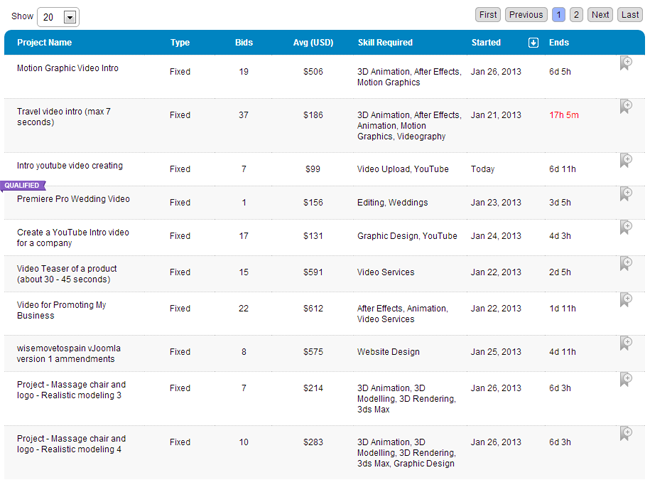
The price of video intros differs greatly between designers. You can pick up a basic video intro for only $5 at Fiverr however a professional video intro will normally cost between $50 and a few hundred dollars. Elance and Freelancer is a good place to post your project.
The quality of videos through Fiverr varies greatly. Their video intro section is very popular, with many video creators and many people using the service. I was actually very surprised at how good some of the videos are.
Stay away from sellers who have bad ratings or do not have any ratings at all. Make sure to check out the demo video and the previous videos that the person has created. If the seem like a good designer, it may be worth paying for one of the seller’s additional services. For example, some video creators will provide a video in 1080p (HD) quality if you pay an extra five or ten dollars. Others will improve the video in some way if you pay a little more. The delivery time varies between providers. When I recently ordered an advertisement type banner for my martial arts forums, I was told I would have to wait 7 days, however the seller provided the image in just two days.
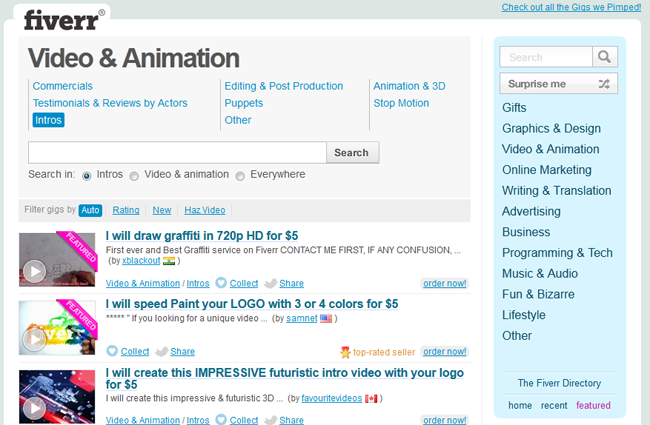
Whilst there is no disputing that Fiverr does not attract professional video designers, it is a great place for picking up a logo for cheap. I recommend checking it out.
Logo Video Intro & Outro Solutions
There are a lot of great services which create intros based on your company logo.
2. Intro Maker
Intro Maker is a great service that offers a few different video intro options. There are one or two free options but most videos cost either $5, $10 or $20. After choosing your video and uploading your logo, you will be asked to pay for your video. They will then email the finished video to your PayPal email address.
Link: Intro Maker
3. VideoHive
VideoHive has over 2,000 different logo introductions. The quality is very high and prices are usually under $10. To use your own logo in a video you need to open up the file in Adobe After Effects. Like all Adobe products, After Effects is quite expensive. However there is a 30 day free trial available that lets you try it out in full.
The video clip does not come with any audio. Thousands of short intro clips can be found at VideoHive’s sister website Audio Jungle. Good intros range from around $5-$10 in price.

Link: VideoHive
4. Splasheo
As I am looking for a professional intro, I was really impressed with the options available at Splasheo. They have 10 logo intro animations available. Once you pick the one you like, you need to choose one of 6 audio options: rock, happy, inspirational, cinematic and hip-hop. You can also choose to have no music.
Videos cost $47, which is more expensive than videos from VideoHive and Intro Maker, however it’s still affordable.

Link: Splasheo
Text Video Intro & Outro Solutions
Text intros are easier and cheaper to make. All you have to do is customise the videos with text.
5. FlixPress
FlixPress has a lot more options that Intro Maker however you cannot upload your logo.
There are 3 different membership options. Free, Basic and Pro. Basic costs $10 per video. Pro gives you an initial $50 credit in your account which you can then use to buy pro videos. The price of pro videos ranges from $5 to $50 though many videos in their catalogue are only $2 or $3.

Link: FlixPress
6. IntroChamp
IntroChamp has a huge catalogue of videos. 720p videos costs $7.95 whilst 1080p videos cost $9.95.

Link: IntroChamp
7. OutroMaker
OutroMaker provides animated outro videos for YouTube. They also provide custom graphics.
A seven day trial is available and no credit card is necessary in order to sign up. After your trial has expired, you only pay $2.99 per month for core functionality or $7.99 per month to unlock all premium features. C
Link: OutroMaker
8. Vipid
Vipid has several custom video intros based on famous movie introductions. The price you pay depends on the quality you want. A 480×270 resolution video can be downloaded for free but comes with a watermark. 640×360, 1280×720 and 1920×1080 resolution videos are available for $1.99, $4.99 and $6.99 respectively.

Link: VipID
Software Video Intro & Outro Solutions
Retailing at $69.95, Aurora3DAnimation is available for Windows and Mac. It can be used to create a video intro in just a few minutes.

Link: Aurora3DAnimation
10. Blender
Blender is a free open-source 3D graphical script that can be used for creating animations and video effects. Andrew Price has written a fantastic guide on how to create a title intro entitled Create a Sizzling Title Intro. The tutorial is 50 minutes long and walks you through everything you need to do to create a great looking intro for your video.
Link: Blender
If you know of any other great ways to create a video into or outro; please leave a comment and I’ll update this list :)
Thanks,
Kevin