
Today, I’d like to share with you all an incredibly useful service called Generator Labs, which is a service that can help websites and online businesses run smoothly.
The availability of website builders means that there has never been a better time to build a website. This is great news for anyone who wants to launch their first website, but you have to be aware that every website requires active maintenance.
In addition to monitoring uptime, you also have to review email deliverability, SSL certificates, blacklists, DNS issues, security configuration problems and more. These issues can reduce website traffic and quietly damage a brand long before anyone even notices something is wrong.
Generator Labs is a monitoring platform designed to help businesses keep track of these important infrastructure issues. Let’s take a closer look at what they offer.
What Does Generator Labs Offer?
Long-term readers of this blog may be aware that Generator Labs was formerly known as RBLTracker. It’s been nearly 10 years since I published my review of RBLTracker, and in that time, the service has grown significantly. The company now performs over 10 million monitoring checks per day and checks over 500 thousand hosts per day.
The company sells four key products: Blacklist Monitoring, SSL Certificate Expiration Monitoring, TLS Monitoring and DMARC Monitoring.
At the time of writing, TLS Monitoring and DMARC Monitoring are marked as “Coming Soon” and are not yet available.
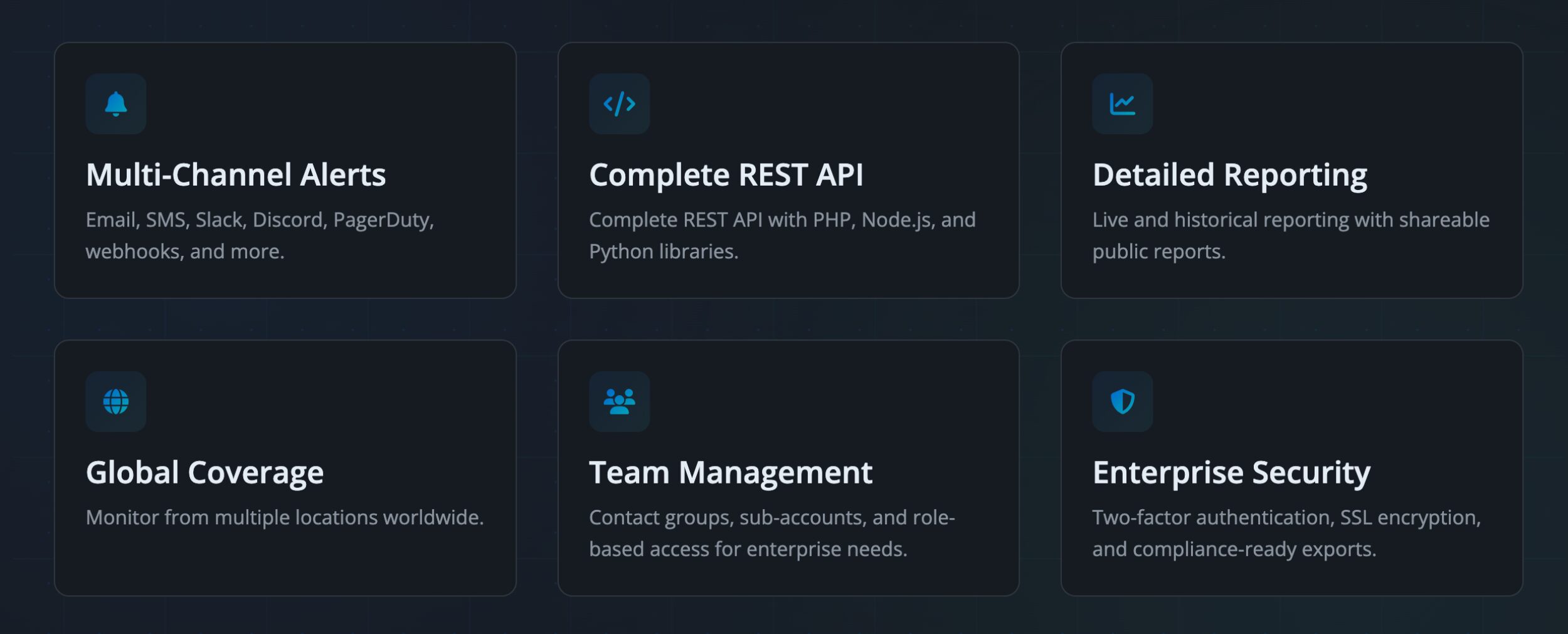
Over the last few years, Generator Labs has added many useful features and integrations to make their tools more versatile. For example, they now offer data integration with AWS Cloudwatch and Amazon SNS, and contact alerts using Teams, Google Chat, and custom (HTTPS).
Developers will also appreciate integration tools such as support for webhooks for real-time blacklist, certificate, and billing events endpoints. There’s also MCP endpoint for integration into your AI agents.
A Simple Dashboard
Generator Labs kindly provided me with a test account to explore all available features and see firsthand how easy it is to navigate their services.
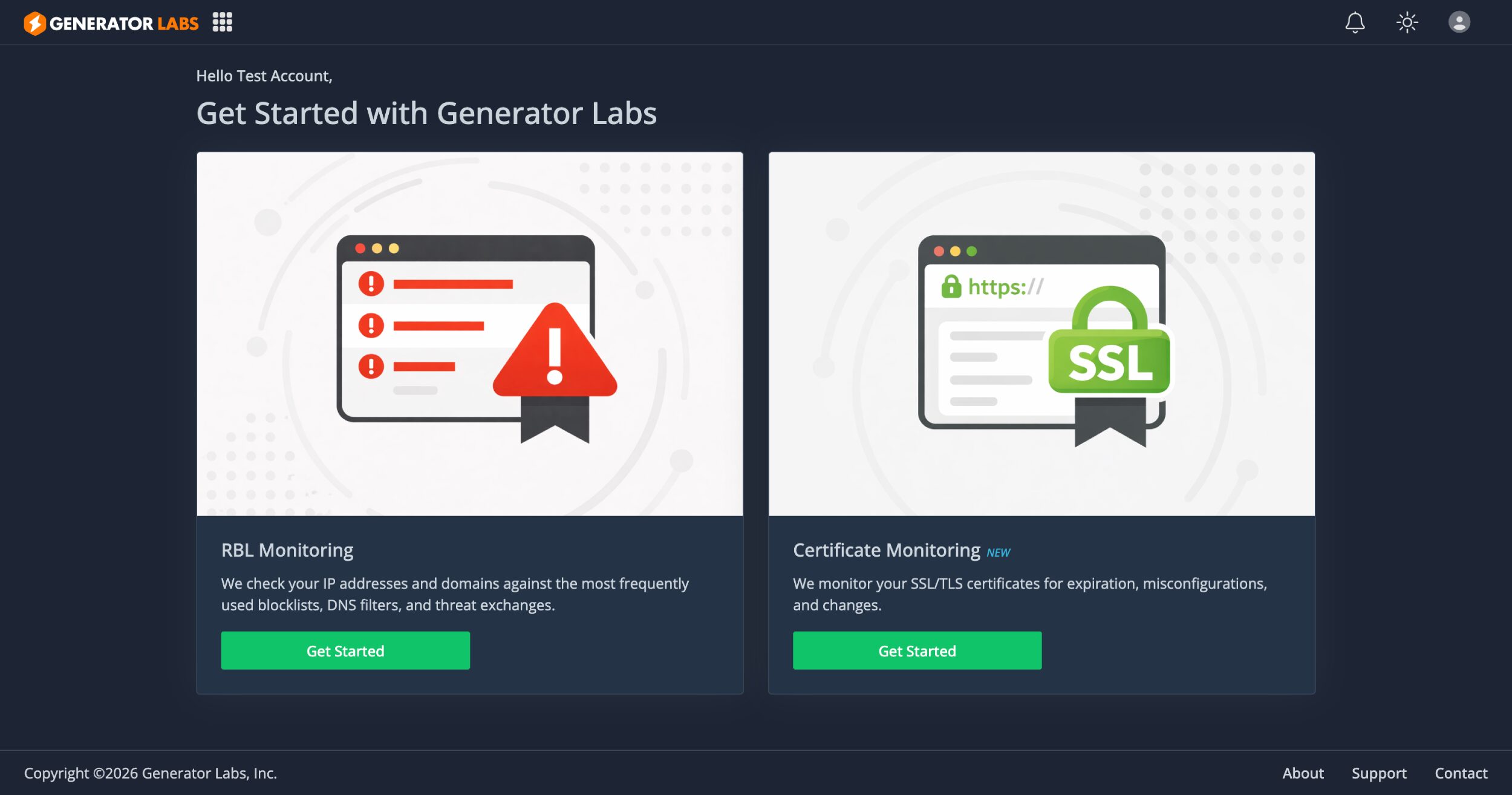
When you log into your account, you’ll see links to real-time blacklist monitoring and certificate monitoring.
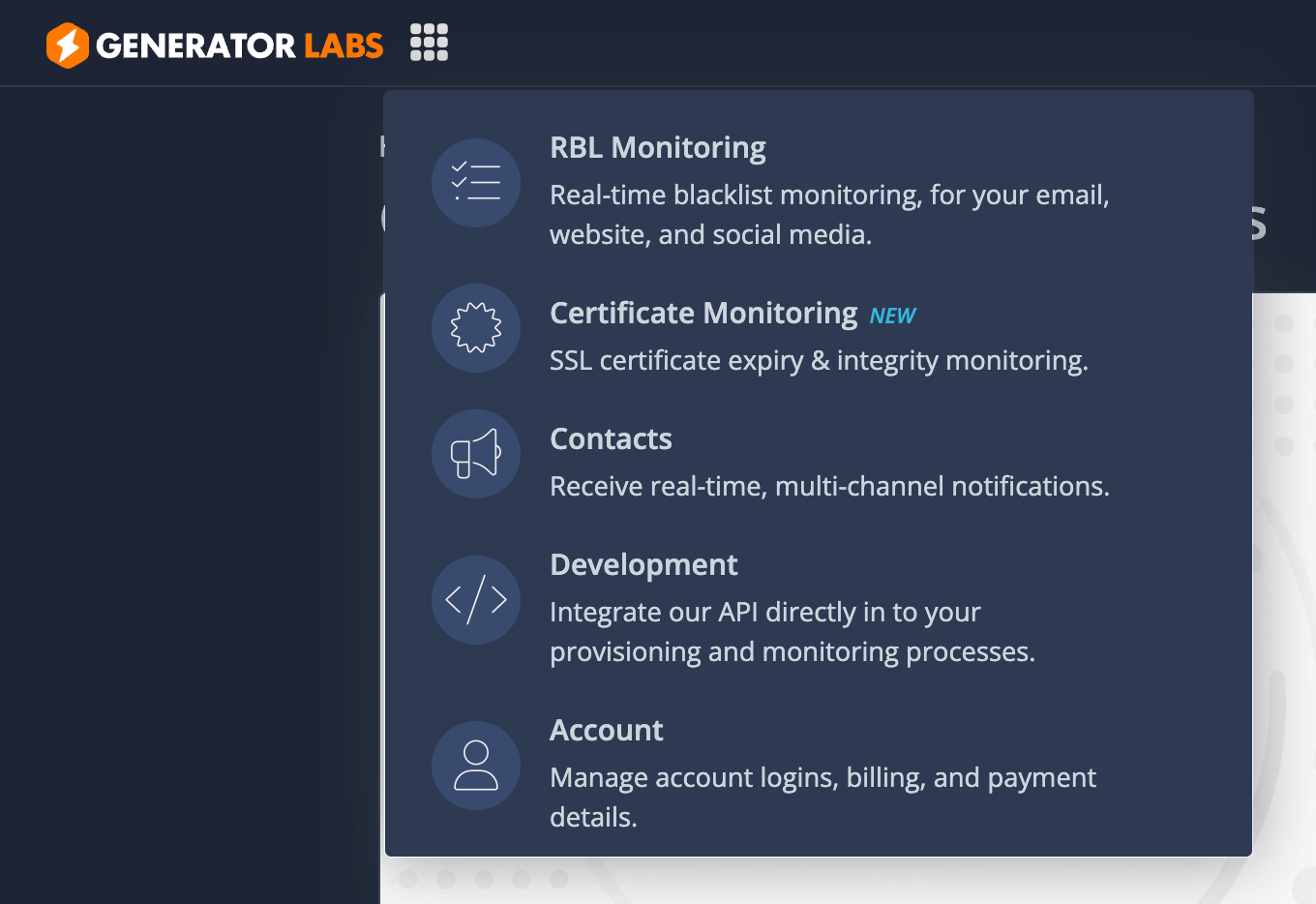
Clicking on the grid icon next to the Generator Labs logo will show a drop-down menu with everything you need.
Email & Domain Blacklist Monitoring
Email & Domain Blacklist Monitoring allows you to monitor domains, IPv4 addresses, and IPv6 addresses against hundreds of blacklist monitoring lists in real-time. So if your website or email server gets listed on any blacklist, you will instantly find out.
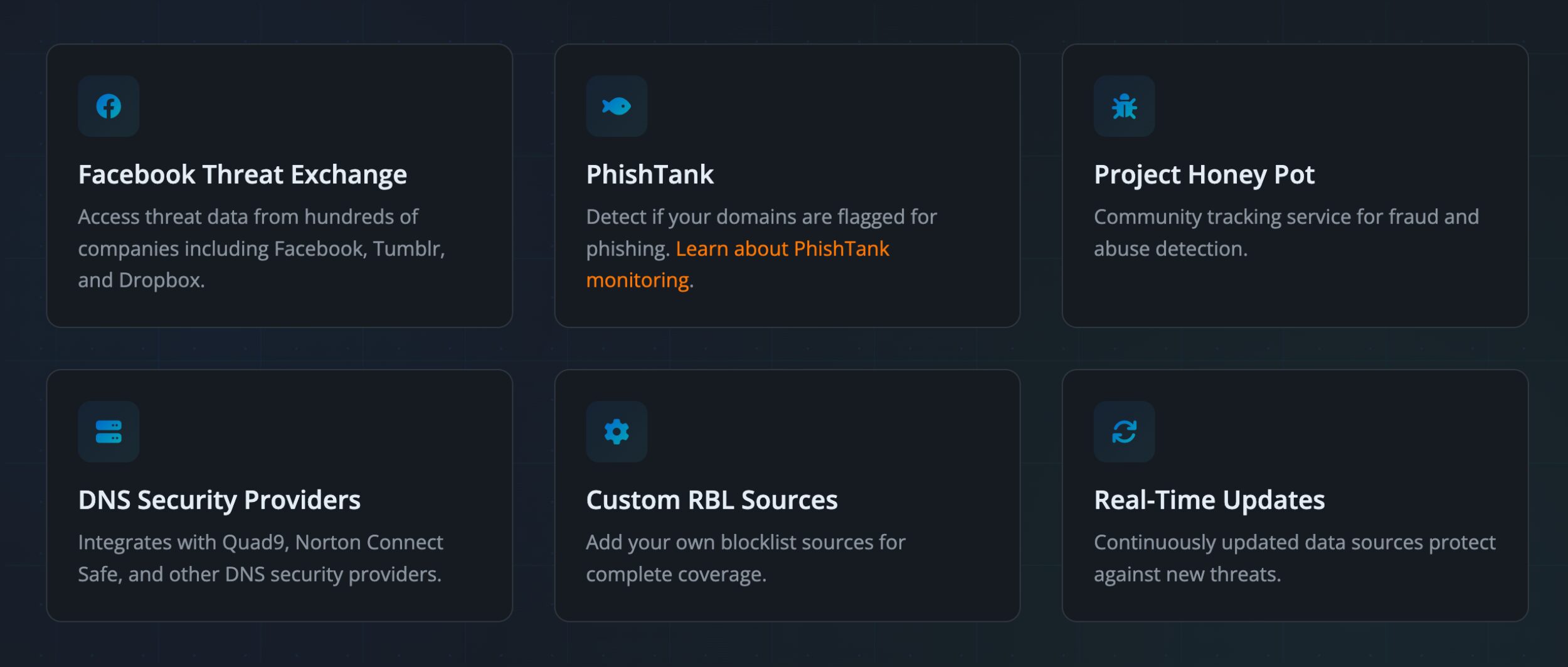
For a more comprehensive list of their blacklists, check out their dedicated pages on Microsoft SNDS Monitoring, PhishTank Monitoring, and the Blacklist Monitoring Service.
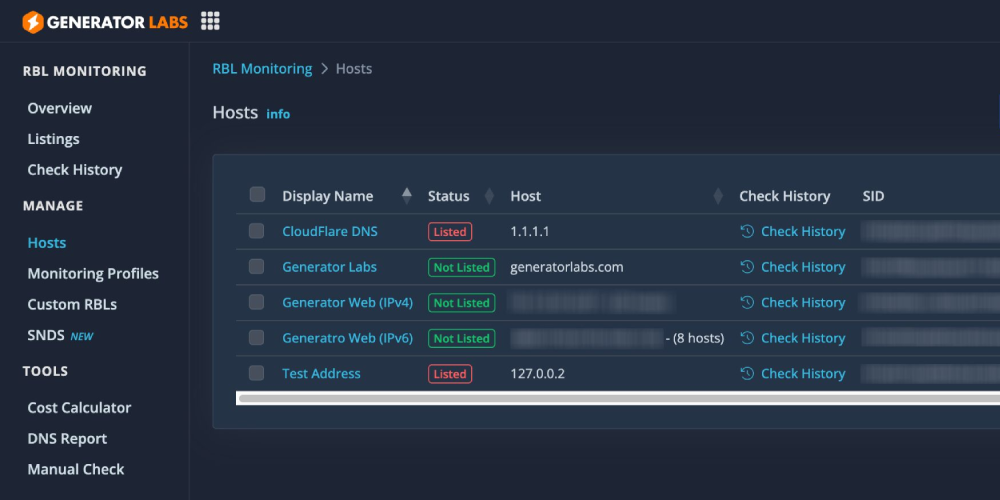
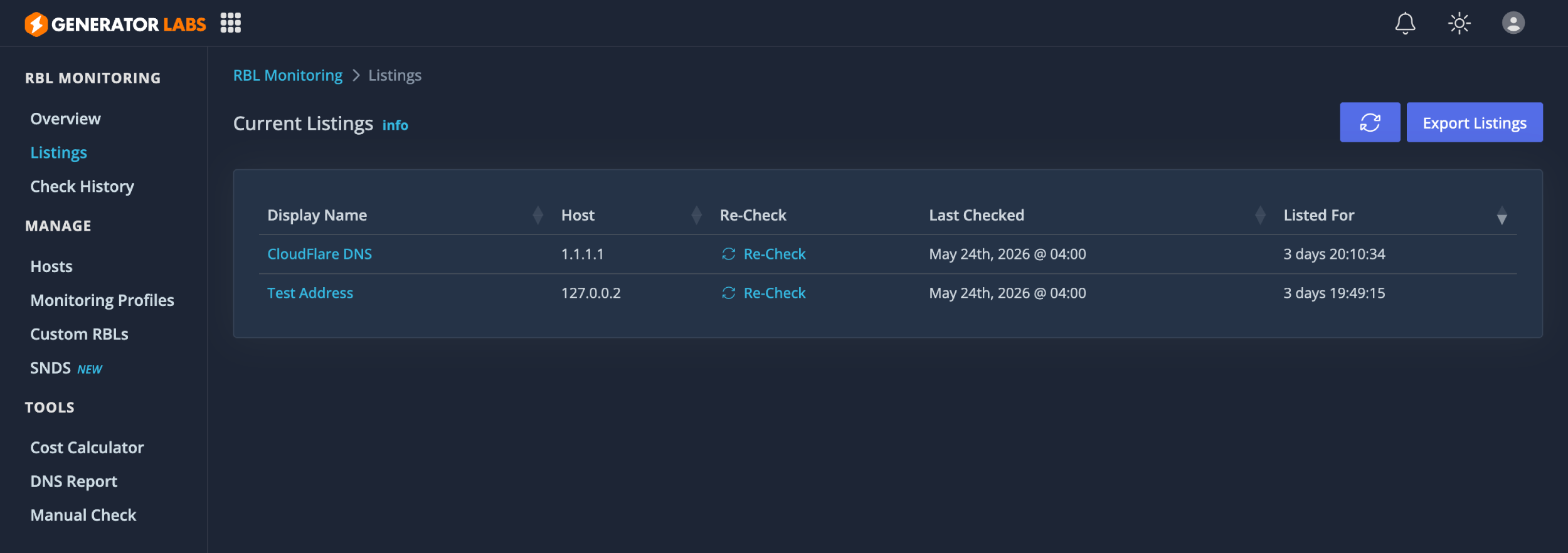
The listings page shows all active IP addresses and domains being monitored, whilst the check history page shows you a complete list, which includes hosts that are not actively being monitored.
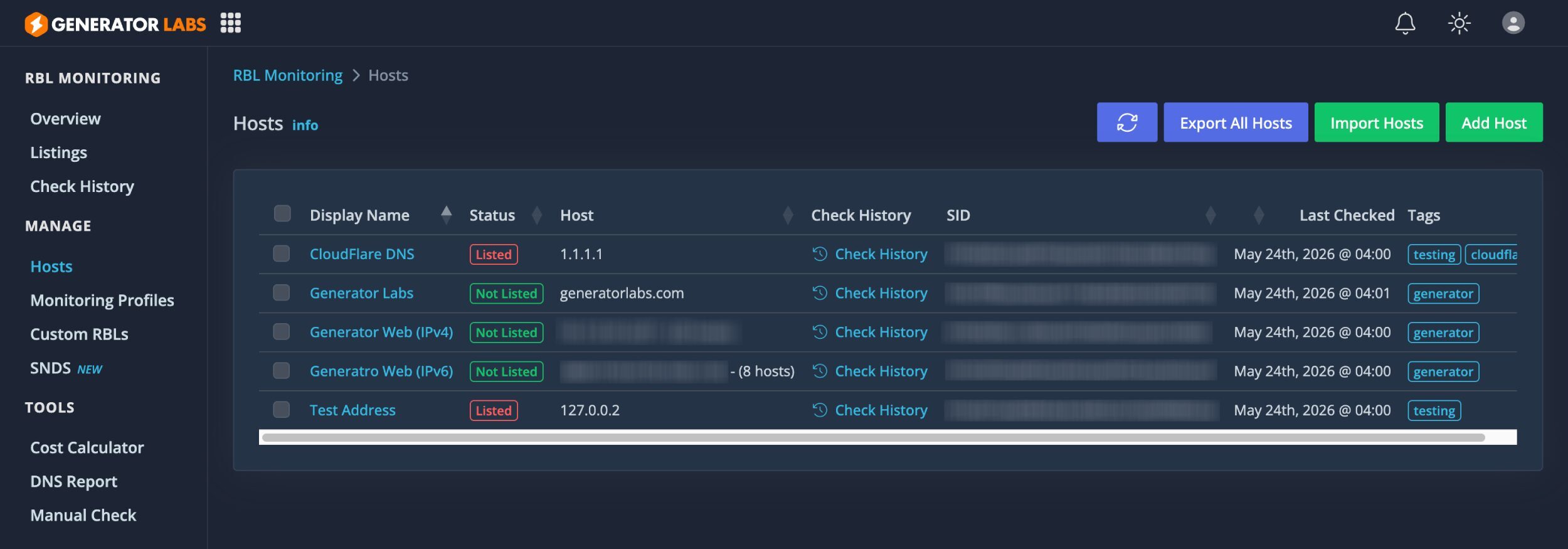
The hosts page lists all active and inactive hosts. You can export all hosts and import additional hosts into your account.
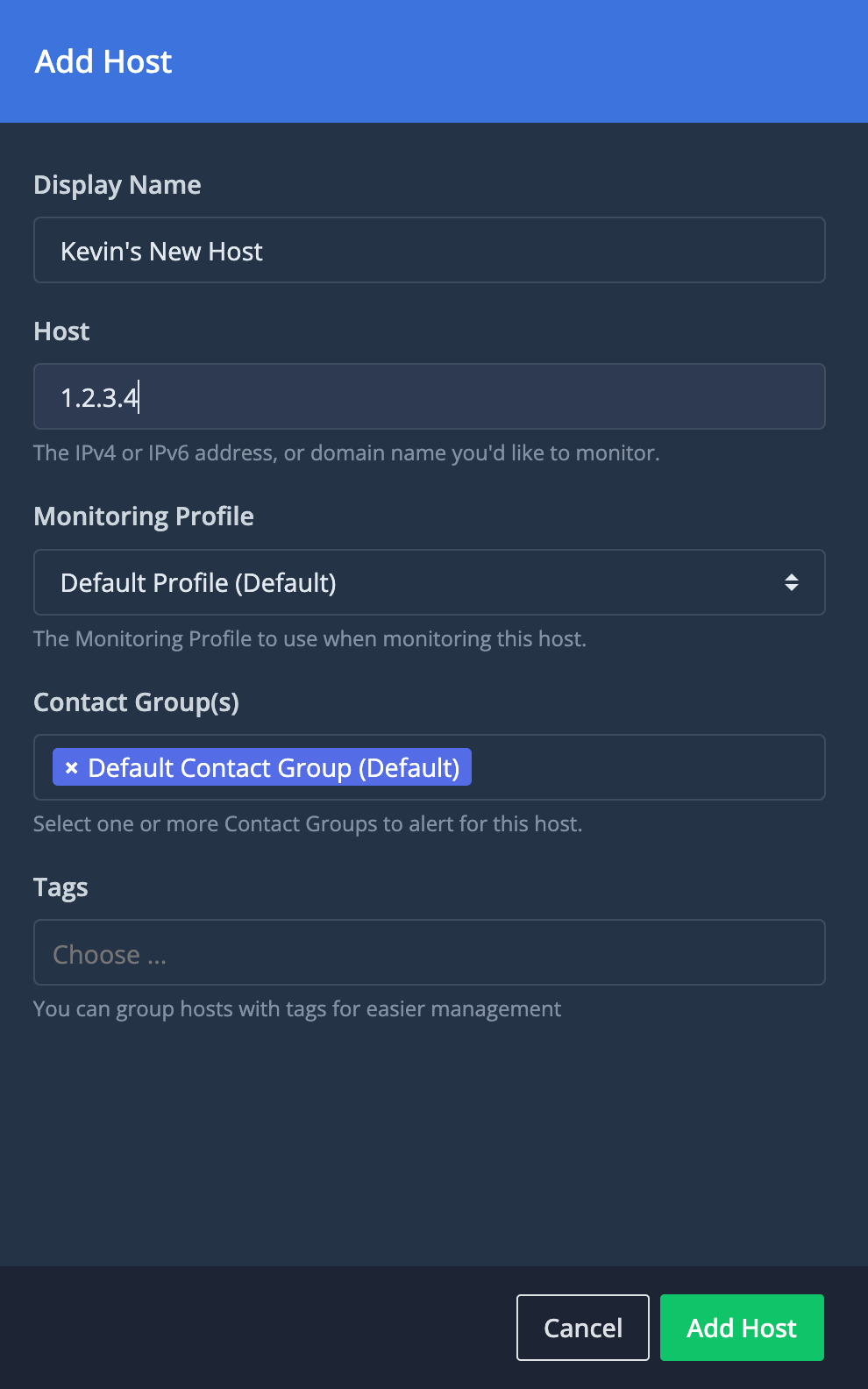
When you add a new host, you can select the monitoring profile you want to use with it. You can also assign it to specific contact groups and define tags.
On the monitoring profile page, you can define which data sources you will check your hosts against.
The default monitoring profile is incredibly extensive too. It includes popular IPv4 and IPv6 blacklists, DNS Security Providers that block sites with malware, Email Deliverability checks, and more.
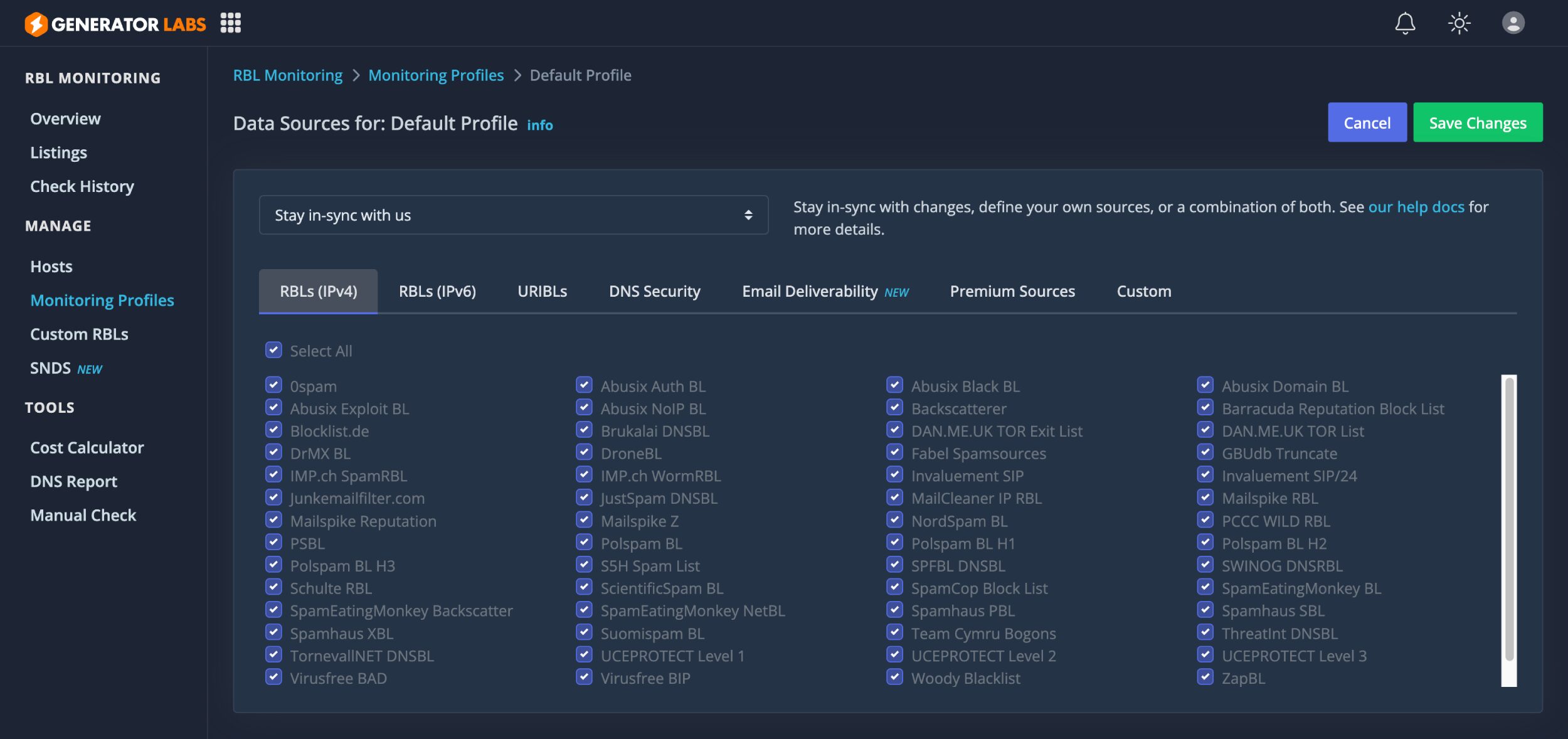
This area also lets you add an Outlook.com Smart Network Data Service (SNDS) key to help identify your sources as trustworthy.
A free plan is available for Generator Lab’s blacklist monitoring service, which which allows you to monitor one host at 48-hour intervals. This basic plan is a great way to review the service and see what it offers.
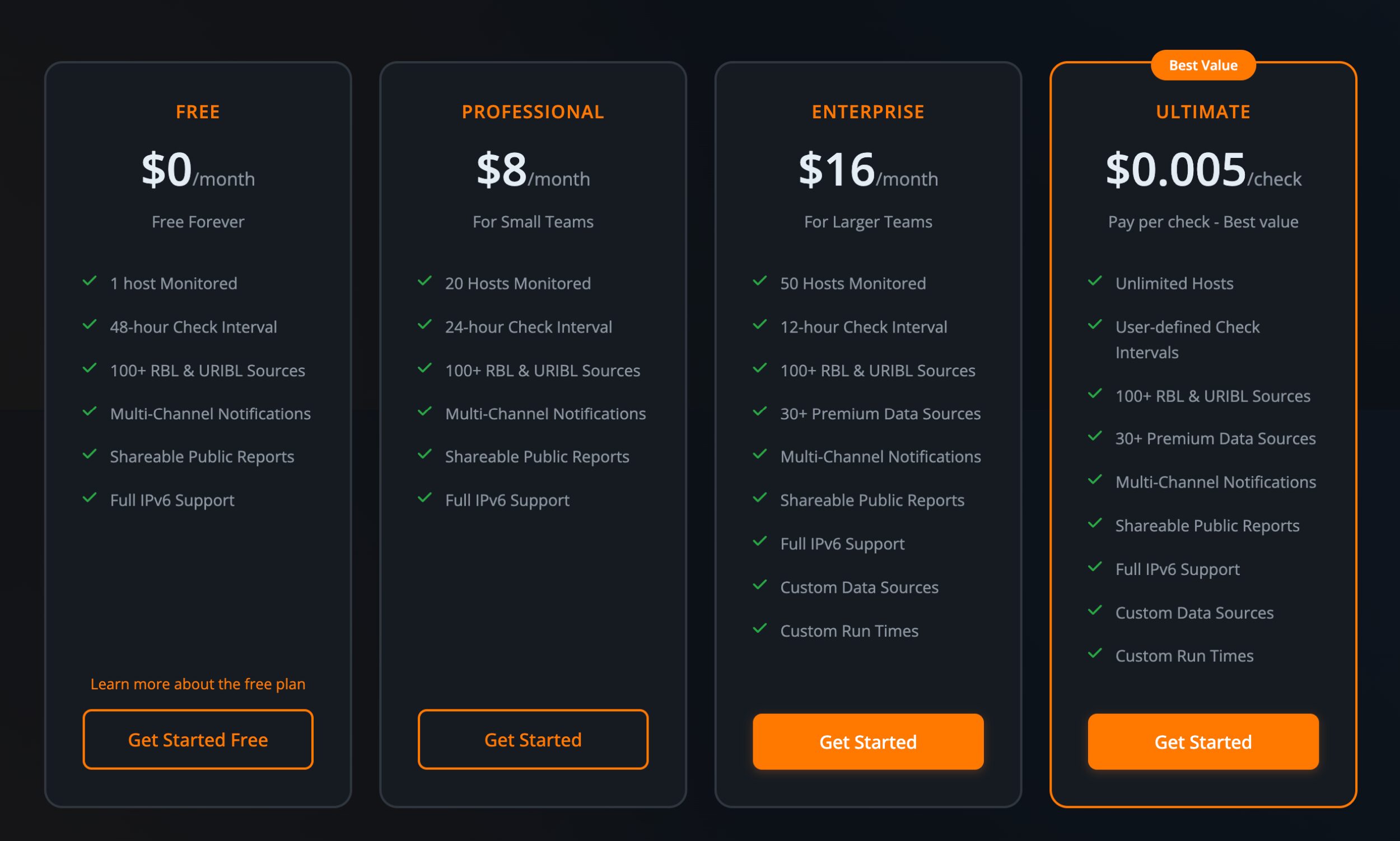
Monthly plans offer monitoring support for many more hosts, with the $8 per month plan allowing 20 hosts to be monitored and the $16 per month plan allowing 50 hosts to be monitored.
The company advised me that they’re encouraging people to move towards their pay-as-you-go ultimate plan. That retails at $0.005 per check and has no restrictions on usage.
Check out the blacklist monitoring pricing page for more information.
SSL Certificate Expiration Monitoring
SSL certificates ensure that secure HTTP encryptions remain live on your website, but you would be surprised at the number of times small and large companies let these certificates expire.
Forgetting to renew an SSL certificate is a costly mistake, as the consequences can be severe. When a certificate expires, your website may go down, or visitors will see warnings such as “Your connection is not private” or “Potential Security Risk Ahead”.
It can also cause API connections and other integrations to fail, and lead search engines such as Google to penalise you as your website connection is no longer secure.
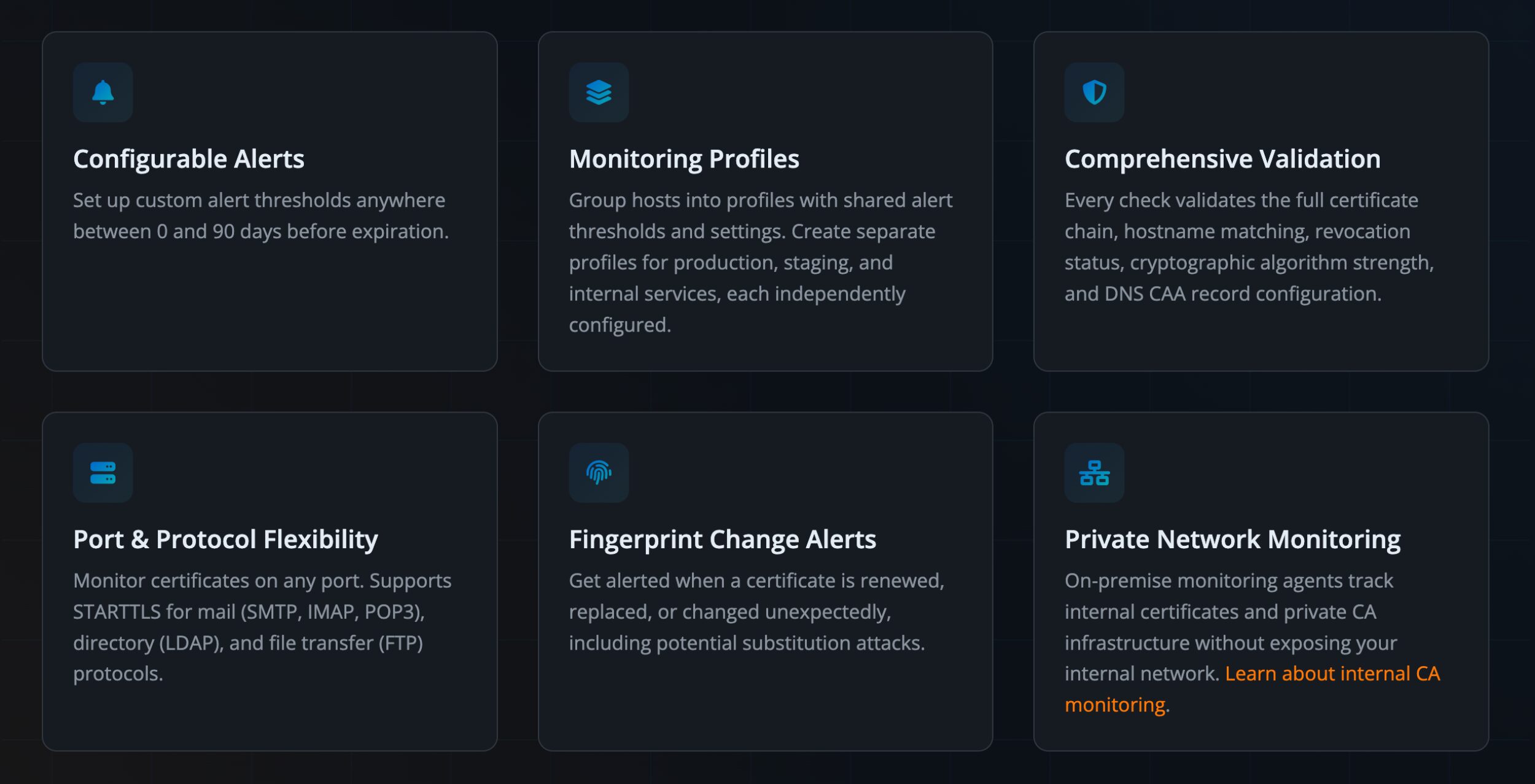
Generator Labs offer a versatile SSL Certificate Expiration Monitoring solution that offers 24/7 monitoring, full chain validation and automatic alerts. This can help you prevent an emergency incident from arising in the first place.
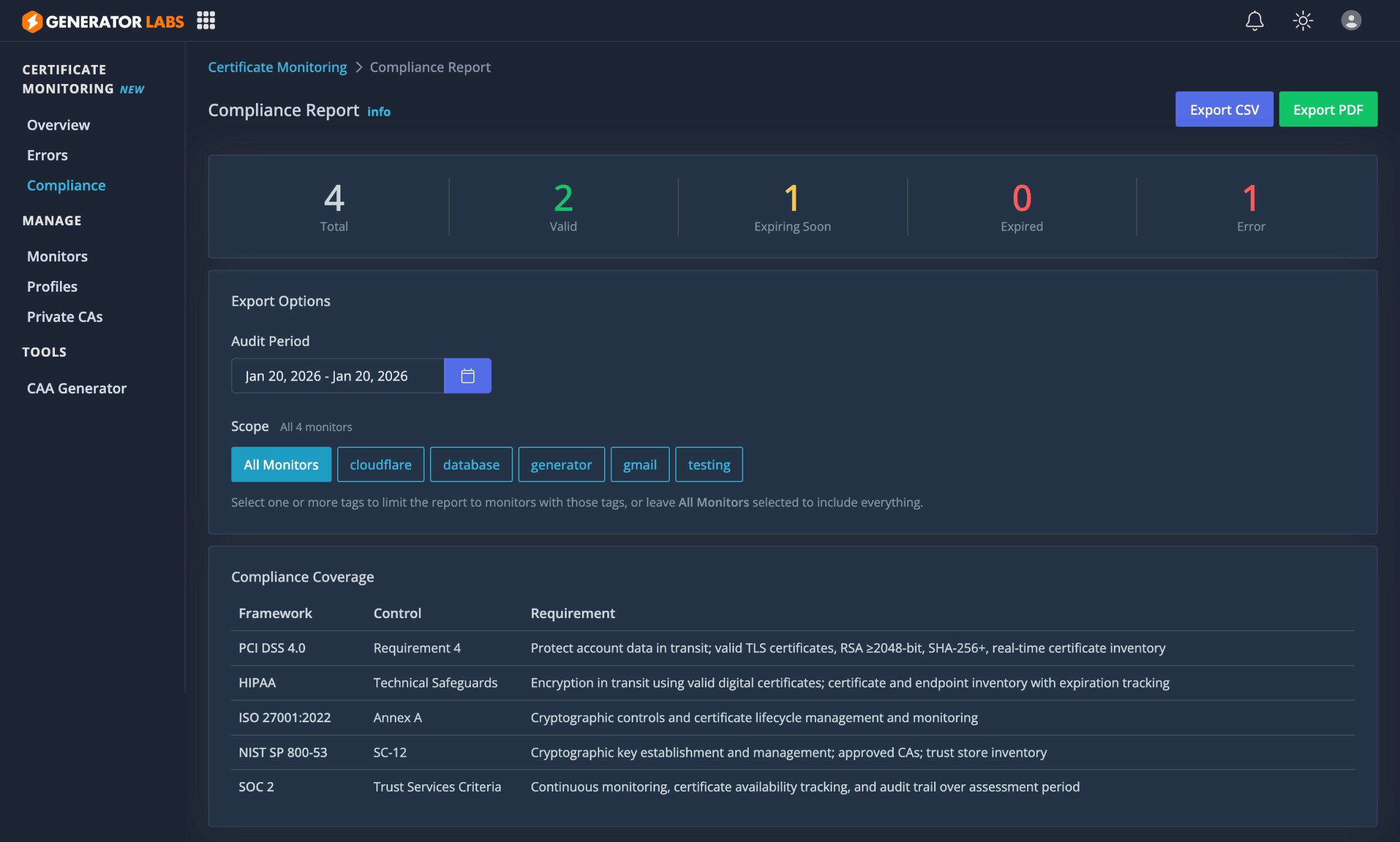
The certificate monitoring errors page helps you see errors and warnings for certificates you are monitoring, whilst the compliance report gives you an overview of which certificates are valid, which are expiring, which have expired and which have errors.
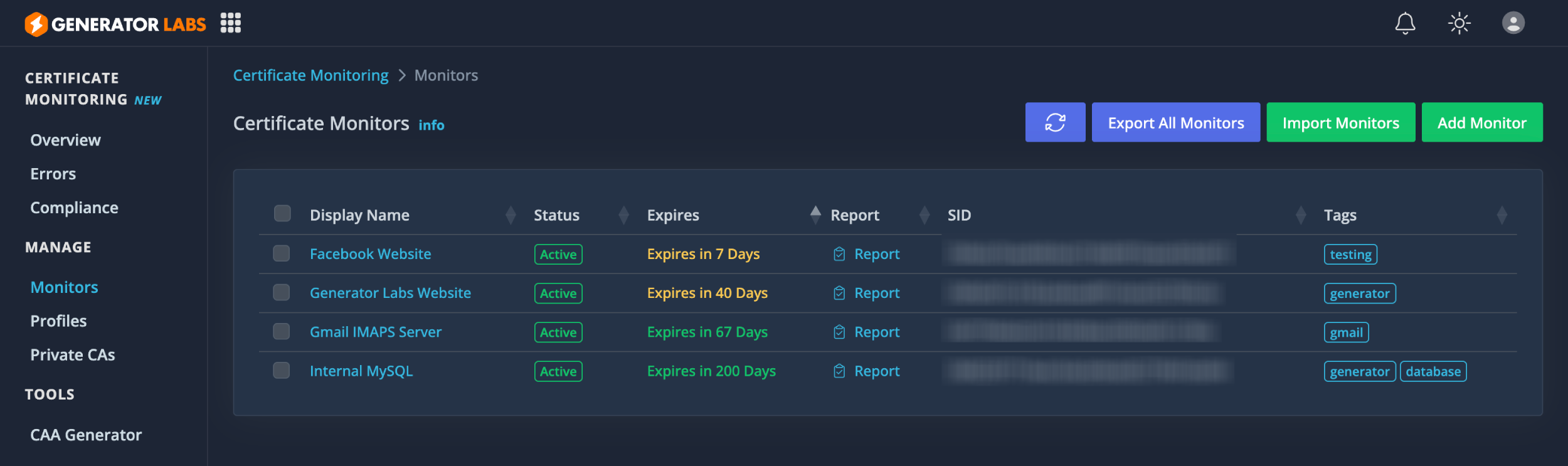
The certificate monitor page helps you see the current status of each certificate. New certificates can be added, imported and exported from this page too.
A report is generated for each certificate, giving details of the server certificate, intermediate certificate, CA certificate, etc.
In the profiles page, you can define internal monitoring agents and configure notification settings so that you’re only notified of issues that matter to you.
It’s important to note that Generator Labs offers more than just expiration notifications.
- CA matching, revocation status, key/signature levels, name matching, CAA checks, etc.
- Can also check against all IPs returned when resolving the hostname (to catch misconfigured load balancers / partial certificate roll-outs).
- They support multiple protocols, not just “standard” TLS (like HTTPS), but also STARTTLS, and custom protocols like MySQL, PostgreSQL, etc, on standard or non-standard ports.
- They support custom CAs (for internally signed certs), as well as an on-prem agent (runs as a Docker container) for monitoring internal infrastructure.
- They have a compliance report generator, which can be used to generate audit reports required for compliance frameworks (PCI, SOC2, ISO 2700x, etc.)
Certificate monitoring pricing is straightforward: $0.01 per host per day.
A “host” is any TLS-enabled endpoint: website, mail server, API, database, or any other service using SSL/TLS. You pay only for what you monitor, billed daily. Add or remove hosts anytime and billing adjusts automatically. No contracts, no minimums.
For example, in a 30-day month, monitoring a single website such as www.yourwebsite.com would cost $0.30, whilst monitoring 10 certificates would cost $3 per month.
There are no hidden costs in this pricing model. Everything is included in this price, including alerts, notifications, integrations and more.
Managing Your Monitors
Notifications are a key part of the Generator Labs service. You’re given full control over notification settings across the whole service to let you specify which circumstances you want to be informed.
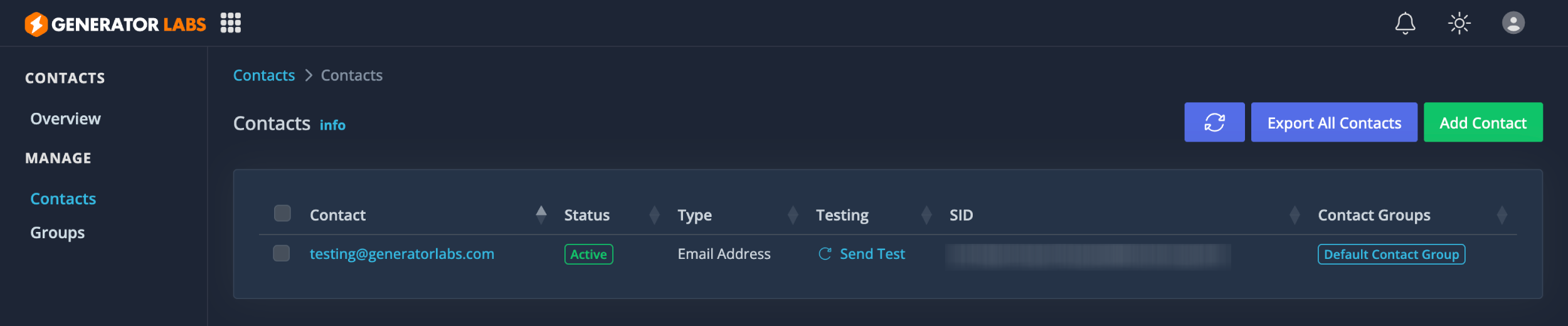
In the notifications area, you can add new notification methods and define how often you want to be alerted.
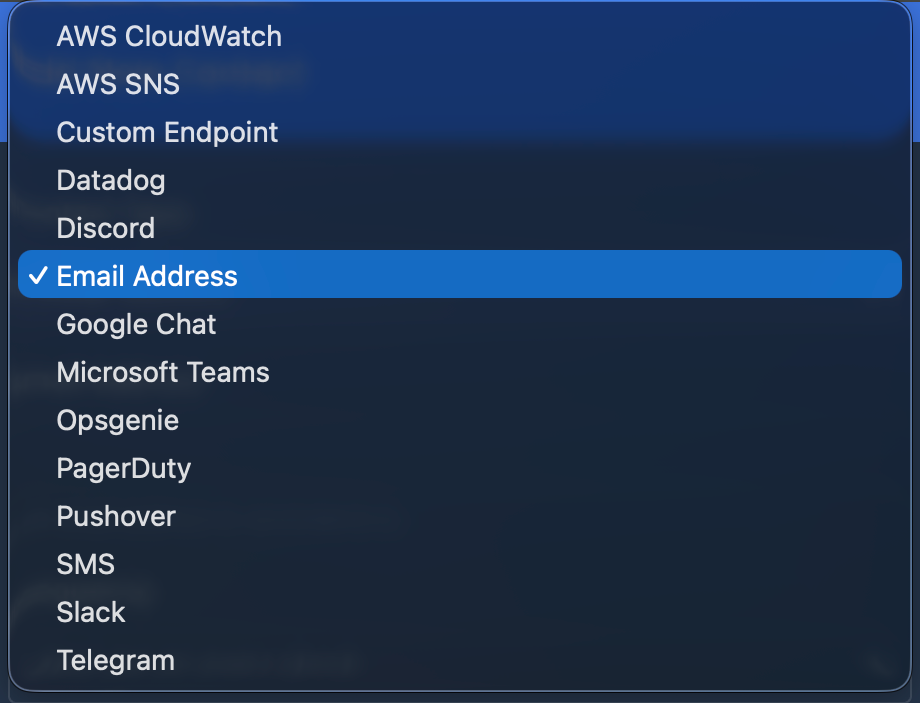
In addition to email, you can be notified via AWS, Discord, Google Chat, Microsoft Teams, SMS, Slack, Telegram, and more.
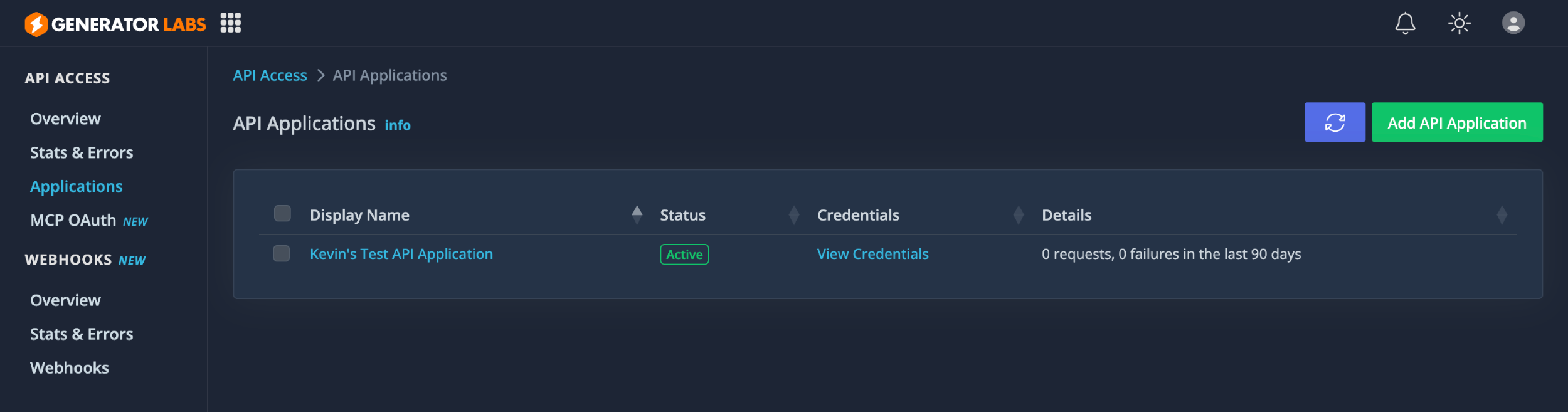
In the development area, you can set up API and webhook integrations. This is an essential feature that will help you integrate your monitoring into the website, apps and tools you build.
In the account area, you can set up multi-factor authentication for your account, add team members, set up agents and manage billing.
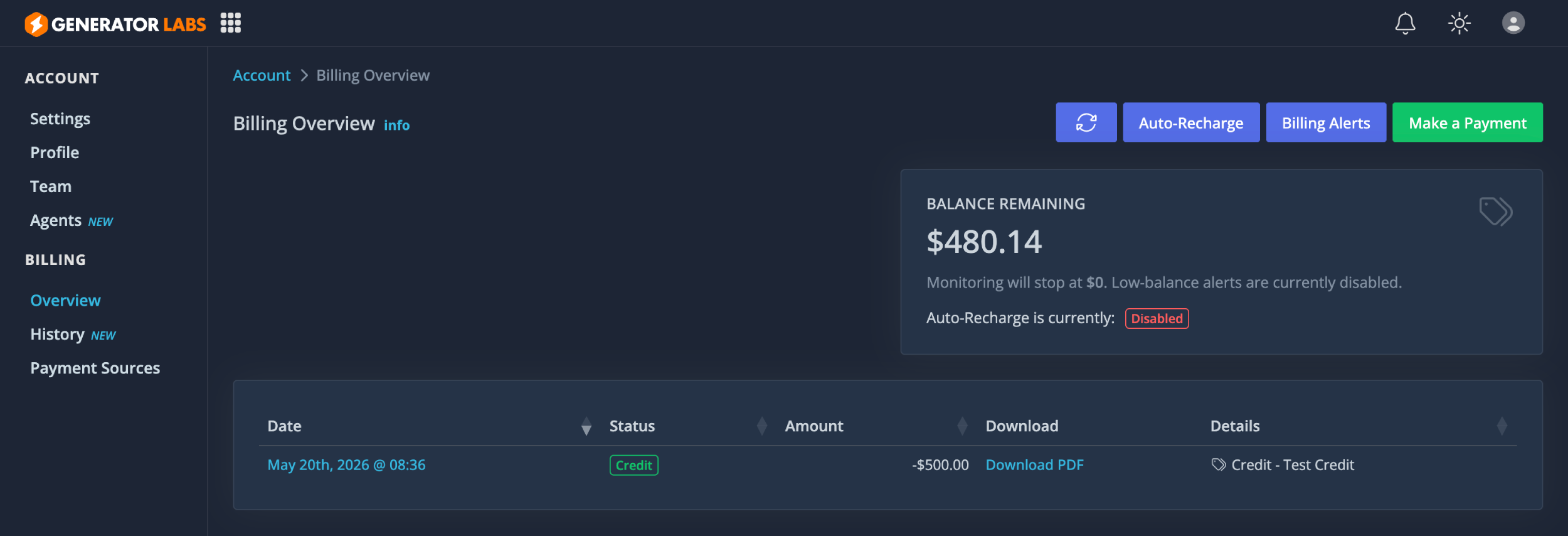
Billing is highly configurable. You can set up multiple payment methods, automatically recharge your account, configure billing notification alerts and make direct payments.
Final Thoughts
Generator Labs is a useful service for anyone who wants better visibility over their email reputation, domain health, and wider infrastructure issues. What makes it interesting is that it brings several important checks into one place, including blacklist monitoring, SSL certificate expiry alerts, uptime checks, and Microsoft SNDS data.
For website owners, bloggers, agencies, and businesses that rely on email, these kinds of problems are easy to overlook until they start causing real damage. A domain being added to a blacklist, an SSL certificate expiring, or email suddenly being filtered more aggressively, can quickly affect leads, sales, customer support, and brand trust.
With any type of website or email-related problem, it pays to be proactive, not reactive. That’s why I have such high regard for tools such as Generator Labs, particularly as it boasts many different ways to be notified when issues do arise.
I particularly like the fact that GeneratorLabs has grown beyond simple blacklist monitoring. Its roots as RBLTracker are still clear, but the broader set of monitoring tools makes it more useful as a general domain and email health platform.
That said, GeneratorLabs will be most valuable to those who understand why email deliverability and infrastructure monitoring matter. If you only run a small personal website and rarely send emails, it may be more than you need. But if your website, application, newsletter, CRM, or client projects depend on reliable email delivery and good domain reputation, it is the type of service that can save you a lot of time and frustration.
I highly encourage you to check it out.
Thanks for reading.
Kevin