
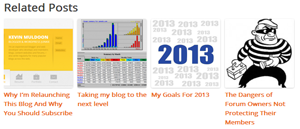
A related posts section is a great way of keeping visitors on your website. I’ve added a related posts section to every one of my blogs in the past but I hadn’t got round to adding one here therefore over the last few days I’ve been looking for a good related posts plugin.
There are a lot of options available however the one I opted for was WordPress Related Posts. It’s a great plugin that boasts:
- Mobile Support
- Thumbnail Support
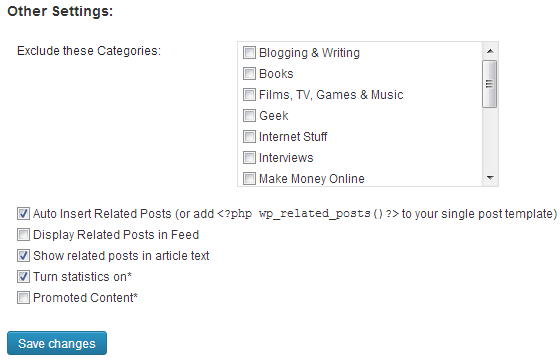
- Statistics
Some of the other plugins I looked at supported thumbnails however they did not provide statistics or work well with mobile designs.
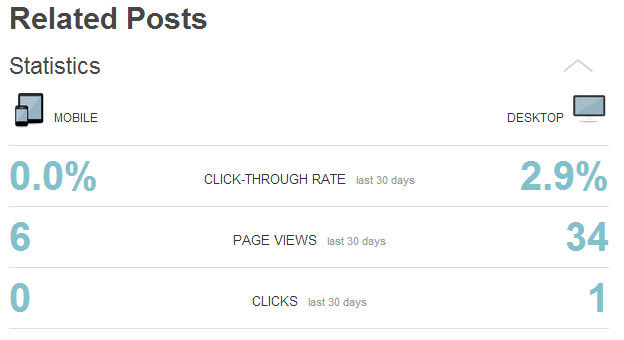
The plugin shows page views, clicks and click through rates for the last 30 days. Stats are shown separately for desktop and mobile users. This is a great feature as it shows you how much your visitors are using this plugin to read other articles on your blog.
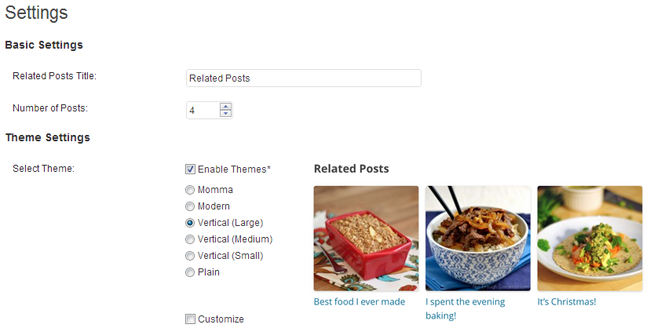
There are 6 default designs to choose from. I prefer the 3 vertical options that are available (that display images horizontally!). The plain option is useful if you don’t plan on including thumbnails. You can also customise the design yourself if you wish. This is useful if you want to tweak one of the existing designs and fit it into your design better e.g. change the background colours or add a border.
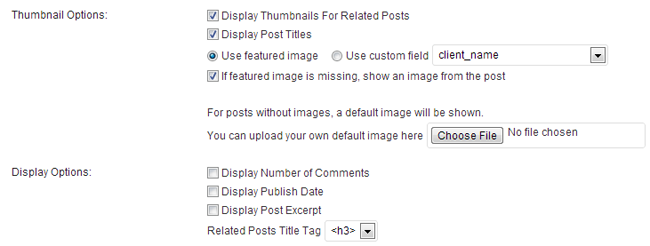
Thumbnails and post titles can both be switched on and off. It can also pull an image from your post for the thumbnail if no featured thumbnail is defined. A default thumbnail can also be set as a safe guard for posts with no images.
In the display options section you can define how the post title is styled. You can choose from an H2, H3, H4, P or Div tag. Comments, publication date and an excerpt can be displayed too but this information doesn’t seem to work well with the design of the related posts. I’d advise against using it.
Related posts can also be added to your feed and promoted content can be shown from the service Related Posts.
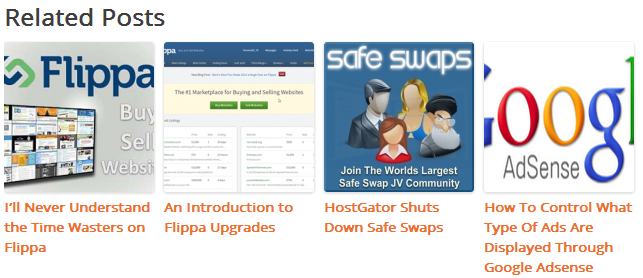
The final output looks great. The number of articles you show in the related posts section will depend on the size of thumbnail you chose and the width of your main content area. I recommend trying a few different settings to see which fits your design best (the screenshot below illustrates the large thumbnail option).
Originally the plugin would not allow you to restrict the time period for posts. You can show posts from an unlimited time period or shorten the time period to 1, 3 or 12 months. I’d love to see an option to define your own time period in the future.
There are a lot of related posts plugins available for WordPress. If you are looking for one which displays your other articles using a thumbnail, I encourage you to check WordPress Related Posts out.
Thanks for reading.
Kevin
Link: WordPress Related Posts
Definitely worth a share. I’m sure some might get good results through it. I’ve just never felt comfortable sending people away to other websites rather than promoting other content I’ve written myself. I can see both sides and appreciate it’s a good way to get new visitors.
Hey Kevin, appreciate your reply. When I signed up I could choose which categories my site should be linked to ( so obviously I chose stuff related to technology, internet marketing, blogging and etc.) .
I guess the relevancy of the traffic depends on the size of the network as well ( I’m getting readers from a few technology sites), so I assume if you join , we’ll be in the same category and exchange content recommendations as well :-)
Anyway, that’s just my experience, thought it was worth a share.
Cheers,
That looks pretty good to. I like how they like you easily change the font colour.
I’m not interested in exchanging traffic though as the traffic is rarely targeted.
Hey Kevin,
I’m using Engageya’s related posts plugin, it has similar features to the ones you mention (thumbnails, stats and etc.) yet it also offers a traffic exchange – some of the recommendations are to others’ websites and for every reader that you drive out , you get another reader in return, cool enough for me :-) . anyway, their plugin is available on the wp platform, but for some extra feature it takes to sign up on their site http://www.engageya.com ,
but like Al Bundy said ” Who cares, its free!” :-)