

Last month Google announced that Blogger owners could now leave comments on blogs using their aspiring social media service Google+. Since then I have seen many people introduce Google+ to their websites and it seems to be growing in popularity every day.
I discussed 3 Reasons I Don’t Use CommentLuv on my blogs yesterday. In the article I mentioned that Ileane from Basic Blog Tips was a big advocate of CommentLuv. Shortly after I published the article Ileane had removed CommentLuv and added Google+ commenting on her site. It seems this is something she had been considering for a while. It will be interesting to see if more or less people leave comments on her blog.
Google+ comments have the same slick interface you will see on Google+. It’s an interesting move by Google as it is sure to get many people commenting through Google+.
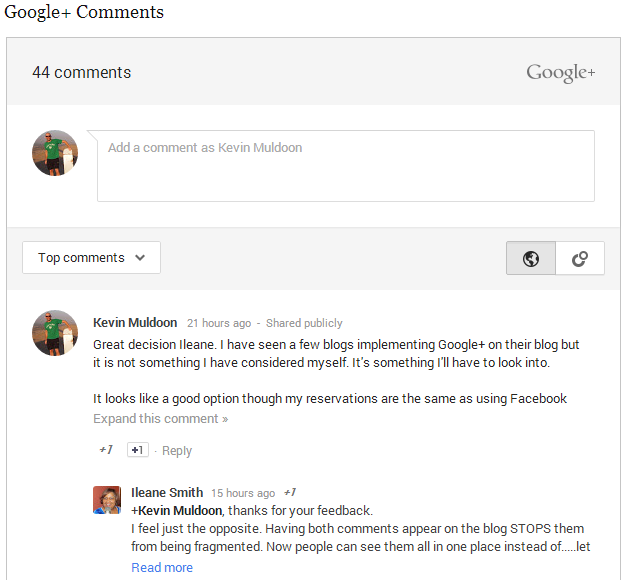
There are lots of plugins out there that help you add Google+ to your website. For WordPress, check out Google+ Comments or the multi-tabbed Google+ Comments for WordPress. The latter also supports comments from Disqus, Facebook and WordPress.
I do love the interface of Google+ however Google+ comments is not something I plan on adding. My opinion of Google+ is the same as my opinion is about Facebook commenting. Not everyone uses Facebook or Google+. Therefore, if you add them to your website you need to offer another way for people to comment. Commonly, people place Google+ comments at the top of a page with the default WordPress commenting system below. I am strongly against this as it divides the discussion into two parts. I would rather use an external commenting system such as LiveFyre or Disqus that split the discussion into two parts.
If you feel that offering visitors two different systems for leaving comments is not that bad, I recommend giving it a try. The comments look great and it does not seem to be discouraging people from leaving comments.
Thanks,
Kevin
No, I haven’t. However I have Jetpack on all my sites. Maybe I will take a look.
Yes, this could work, probably best on full width layout, I can’t imagine it on a traditional two columns design.
The #1 reason I won’t be installing it is the lack of moderation. But, Google is right on top of support issues these days. They finally woke up to the whole idea when things heated up for G+. But, the spammers are coming and unless this commenting system can be moderated and/or filtered, I’m not installing it on a production site.
Yes, I have no control over Google+ comments, probably this is not the case for blogs on “Blogger” (haven’t tried that though).
I can’t think of this as manually moderated, in most cases there should be an algorithm. Something like; reported comments gets deleted after a specific number of few reports.
And, yes.. this can be painful for any website!
I am getting more comments in the G+ system (also more pluses), probably because it’s on the top of WP comments, most people won’t recognize the WP comments form as it’s pushed to the very bottom of the page.
The only good thing I really like is that I have can track all shares, and comments on those shares, this is something I couldn’t do in one place/page (maybe it’s only me).
If NOT all people on these platforms, having a tabbed WP, G+, and Facebook comments is not a bad idea, but good point about dividing the discussion, I totally agree with that. (my all time favorite is WP default commenting system though), so probably I will do a slight change to have them tabbed.
The most annoying thing is having no control over comments, I can’t delete any comment on Google+ system, I only have the option to report them, then Google decides.
Have you used the default commenting system with Jetpack? That’s what I use here just now. It seems to work fairly well with Akismet.
I do like the idea of tracking shares etc, though I don’t want to split up comments. A good solution would be to design the comment area so that Google+ was shown on the left and regular comments on the right.
That is something I didn’t even look into. So you effectively have zero control over comments on your own website? That is a bit worrying. Google have never been quick at responding to support emails so it is doubtful they are going to manually moderate millions of comments on Google+. It has to be automatic. Whilst they probably have something configured to tackle racism etc, what if someone is just leaving negative comments to try and damage your website’s reputation?
I think creating tabs for the different discussion systems still leaves the problems with dividing the discussion. Plus, in my experience, most people will not view the other tabs. They are much more likely to just view the comments in the default tab.
I agree that the default commenting system is best. I’d love a good third party commenting system to come out that offered social media integration without all the limitations that Livefyre and Disqus has.
Have you seen comments increase or decrease since adding Google+?
Kevin