
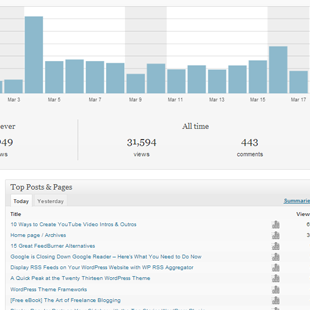
Traffic analysis is an important part of tracking the growth of your website, and seeing where traffic is coming from. This helps you plan out future decisions for your website such as what topics to write about.
You probably all use Google Analytics to anaylyse your traffic. I use the free service actively and have never had any complaints. In many ways, it has been established as the de-facto traffic tracking service of website owners. For example, the website marketplace Flippa asks all website sellers to submit traffic evidence using the service.
WordPress users have many plugin solutions available to them that monitors traffic directly through their website. This allows you to analyse your traffic directly and provides you with data that Google Analytics may not.
Today I would like to share with you 5 of the best stats plugins for WordPress. I hope you find the list useful.
5 WordPress Plugins to Track Your Stats
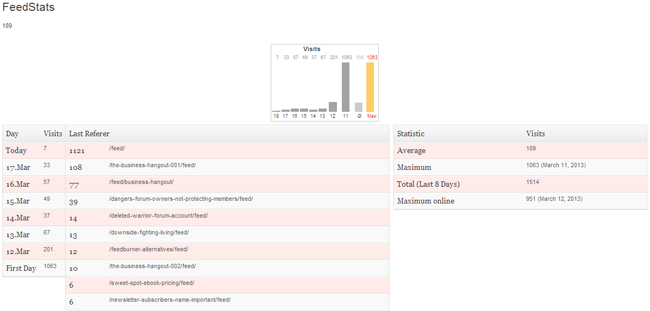
1. FeedStats
FeedStats is a very simple stats program that only displays daily visits and referrers. The number of days that stats are tracked can be defined and you can set the minimum user level that a person has to be to view stats.
2. JetPack
The JetPack plugin includes a good stats module. It shows unique visits from the last days, weeks, and months. On the main dashboard area, statistics are shown for the current day and the day before for referrers, top posts and pages, search engine keywords, and clicks.
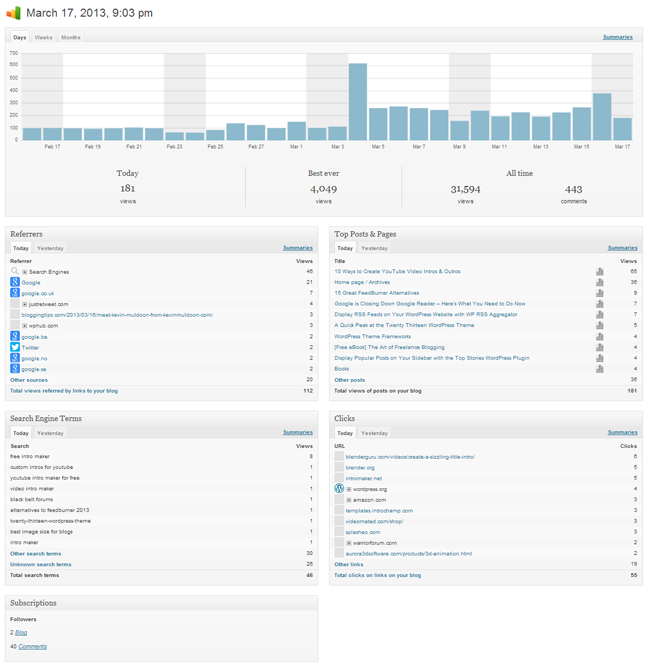
Each type of statistic can be viewed in more detail. The plugin keeps information from the day you first started using the plugin. Additionally, at the end of the year, Jetpack sends you an end of year report that shows you the most popular articles from the previous 12 months.
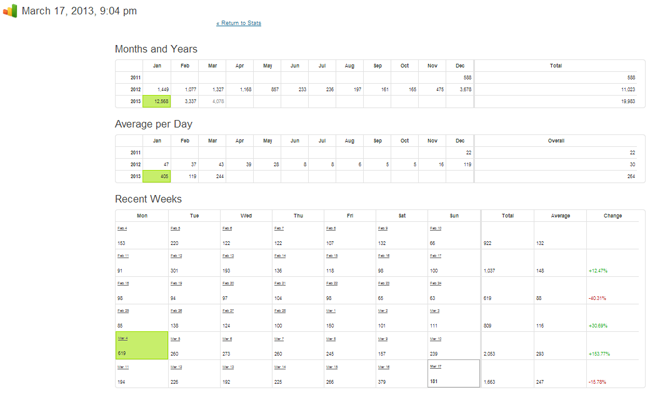
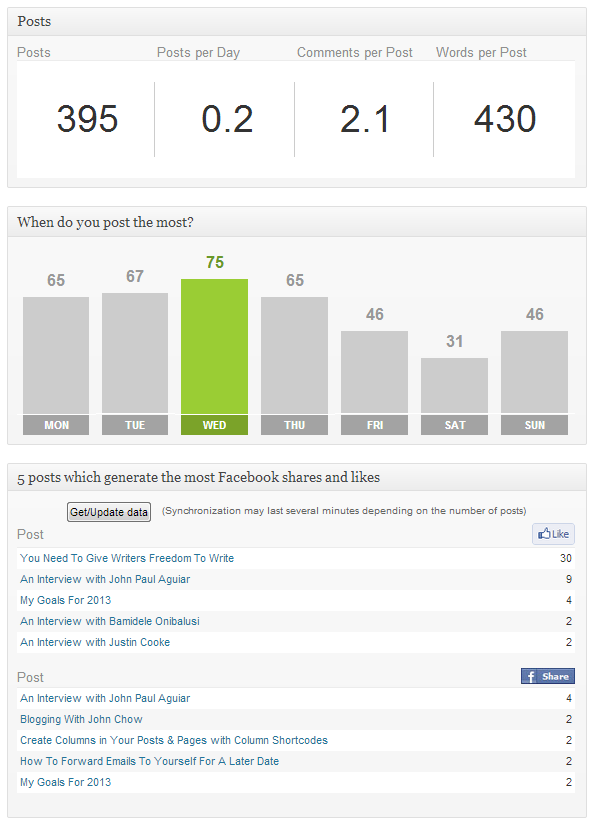
Advanced Blog Metrics is a stats program that was designed with bloggers in mind. It adds a series of info boxes to your WordPress dashboard including which posts have the most comments and what days are posts getting the most comments (Wednesday for me).
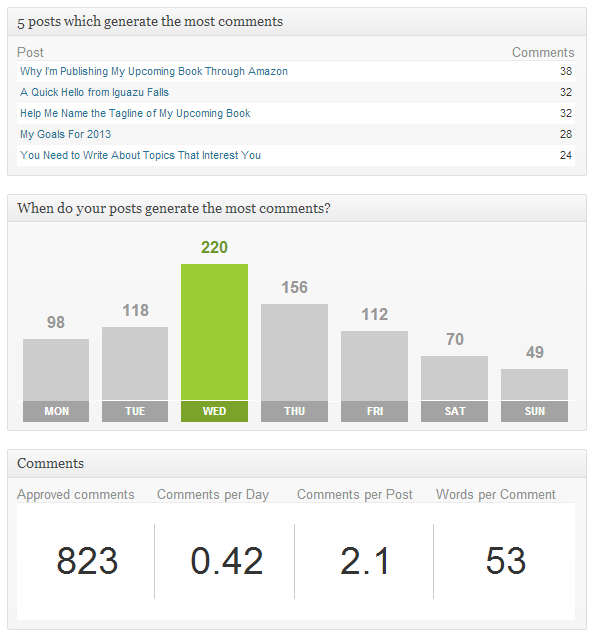
It also shows you what days you publish on and what posts are getting shared most on Facebook. It’s a good plugin for those of you who want to know which days you should publish articles.
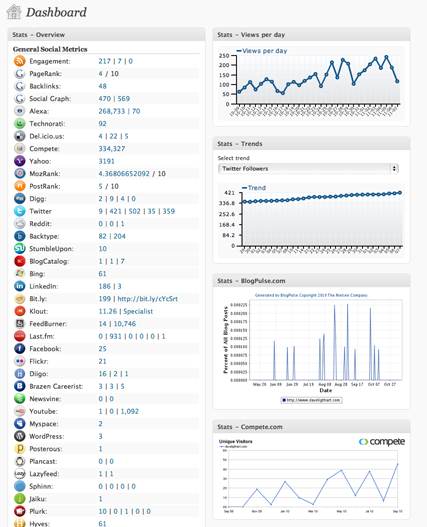
WP-Stats-Dashboard is a statistics plugin that has an emphasis on social media. It shows you how many shares and bookmarks you have on major social media services. Normal traffic stats such as search engine keywords, daily visits and clicks, are also recorded.
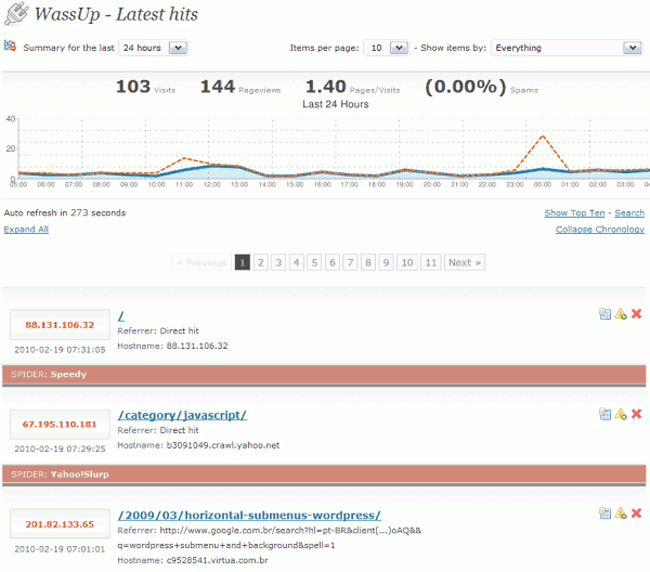
WassUp Real Time Analytics tracks a lot of information such as referrers, search engine spiders, search engine terms, clicks, operating systems, spam and hack attempts, and much more.
Do you know of another good WordPress stats program? If so, please feel free to share it in the comment area :)
Thanks,
Kevin
Google analytics counter tracker is of a mobile-friendly design.I use it to analyse the visitors that hits on my website.
https://wordpress.org/plugins/analytics-counter/
Do you mean which plugins rely on Google Analytics stats?
Hi,
Nice post … my biggest worry is performance. I’m using wp statistics but is using too much resources for my server. My question is wich plugins are using external resources as google analitics?
Kind regards
magnificent submit, very informative. I wonder why the opposite specialists of this sector don’t understand this.
You must continue your writing. I am sure, you have a
great readers’ base already!
53d94359424100a9d168633d867fd673
After screening many techniques we’re confident to convey that people
contain the ONLY Reliable & Safe unlock Software
for your new i – Phone. When you have insurance coverage on your phone so you make a claim for loss
or damage, you may be sent a replacement phone in no time.
This will probably be a scenario inside the coming months of June or July 2011 if the much acclaimed and eagerly anticipated
next generation of i – Phone will be released- The Apple
i – Phone 5.
53d94359424100a9d168633d867fd673
The article is bit older but still a useful list. Thank you for sharing it Kevin.
I would like to suggest another free wordpress plugin “WP Show Stats” https://wordpress.org/plugins/wp-show-stats/. It is not related to visitors or traffic analysis but having rich features of how the WordPress elements used and how your content organized. It provides various statics about usage of blog posts, categories, tags, users, comments, custom post types, etc..
I hope it will be useful for other readers of this article as well.
firestats… the best of best ;)
Cheers man! I was previously using jetpack but for some strange reason there’s an error with it and it won’t let me install! I’m gonna try out wp-stats-dashboard and wassup for a bit and see what they are like cheers!
whoa nice, i use jetpack ithinks is good for my wordpress stats
Slimstat is the best.
Jetpack stats makes my site heavy!
Hi Darin,
I have never heard about that issue. I am not sure what could be causing this if Jetpack is connected to your WordPress.com account correctly.
It could be worth uninstalling/deleting the plugin and configuring it again (including the connection plugin).
Kevin
Hi Kevin,
I’ve used Jetpack since it came and out like the fact that it has the ongoing historical stats. I recently updated my site with a new theme (“yasmin”) and now for some reason jetpack isn’t counting traffic even though it has been reconnected to my wordpress.com account.
I don’t get any sort of error message, it just simply isn’t counting any stats when I go into the dashboard. When I check google analytics my traffic is following my standard historical average.
Have you heard of this issue before…do you have any suggestions on what to check?
Any help is much appreciated…very frustrated here!
Darin
Take your time :)
I’m travelling for the next week, so it will be difficult for me to do that just now. I’ll try and check it out later when I have a reliable connection :)
Well, I could write a long list of features that the other plugins mentioned here above don’t offer, like advanced filtering, compliance with European Privacy Laws, extensible structure and behavior (via WordPress actions and filters), real-time analytics, event tracking (clicks, downloads, custom events), compatible with caching plugins, about 370,000 downloads so far, etc. But it’s easier for you to download it and give it a try: http://wordpress.org/extend/plugins/wp-slimstat/ I would really appreciate your feedback, since you’ve already tested the other ones.
Never heard of that. What advantages does that plugin have?
I would like to suggest my plugin, WP SlimStat :) Check it out!
That’s what I’m using just now too. Jetpack uses a lot of resources so I may remove it in the future. Will need to review the issue :)
I have been using Google Analytics and Jetpack.
I love Jetpack directly from within my dashboard
Thanks for sharing the others